
How comments work
Comments appear directly below the content you choose, making it easy for members and admins to engage right inside your MemberSpace.
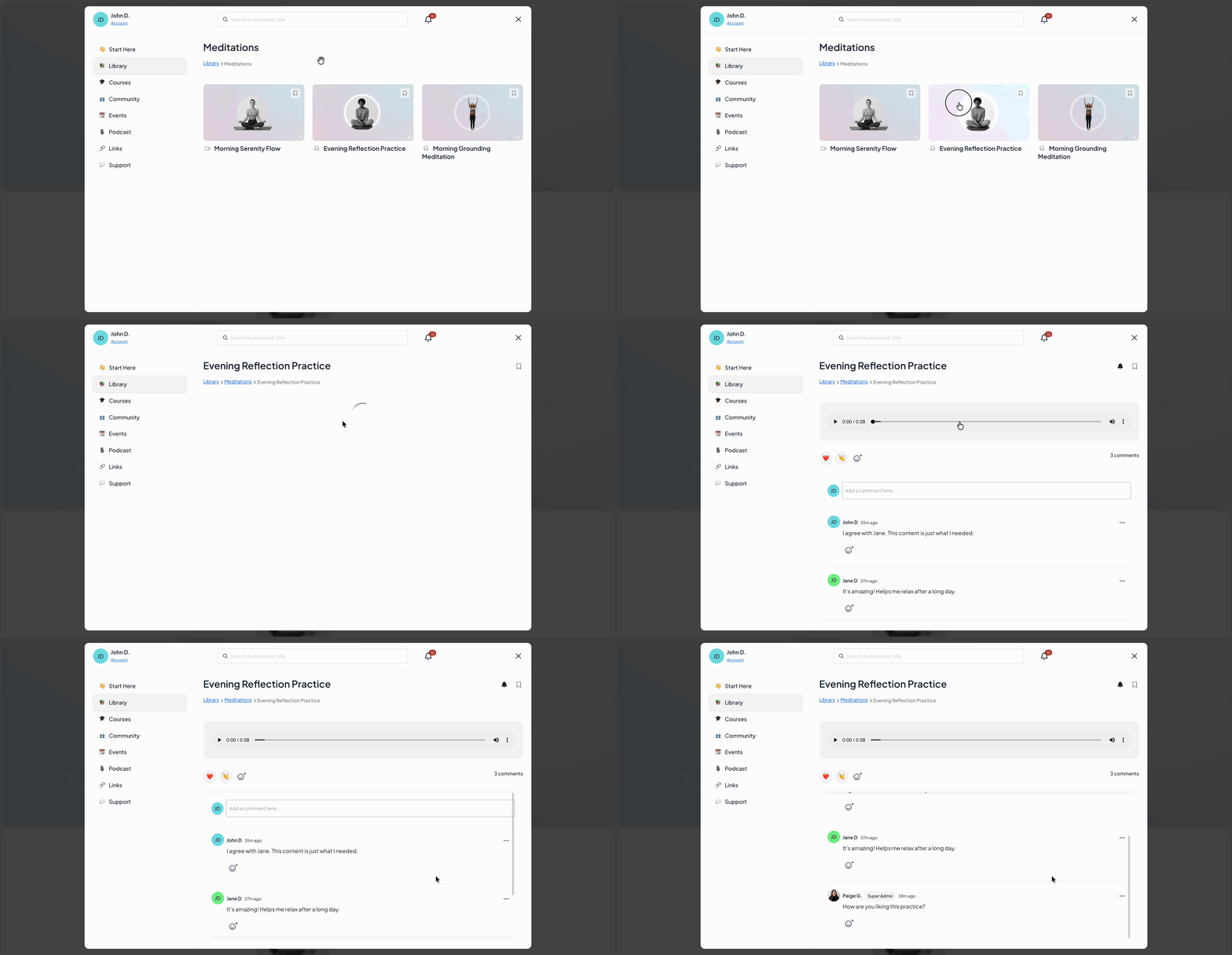
This keeps questions, feedback, and discussion tied to the content they relate to, rather than scattered across emails or other tools.
Reactions offer a quick way to participate, while comments support deeper discussion when members have more to say.
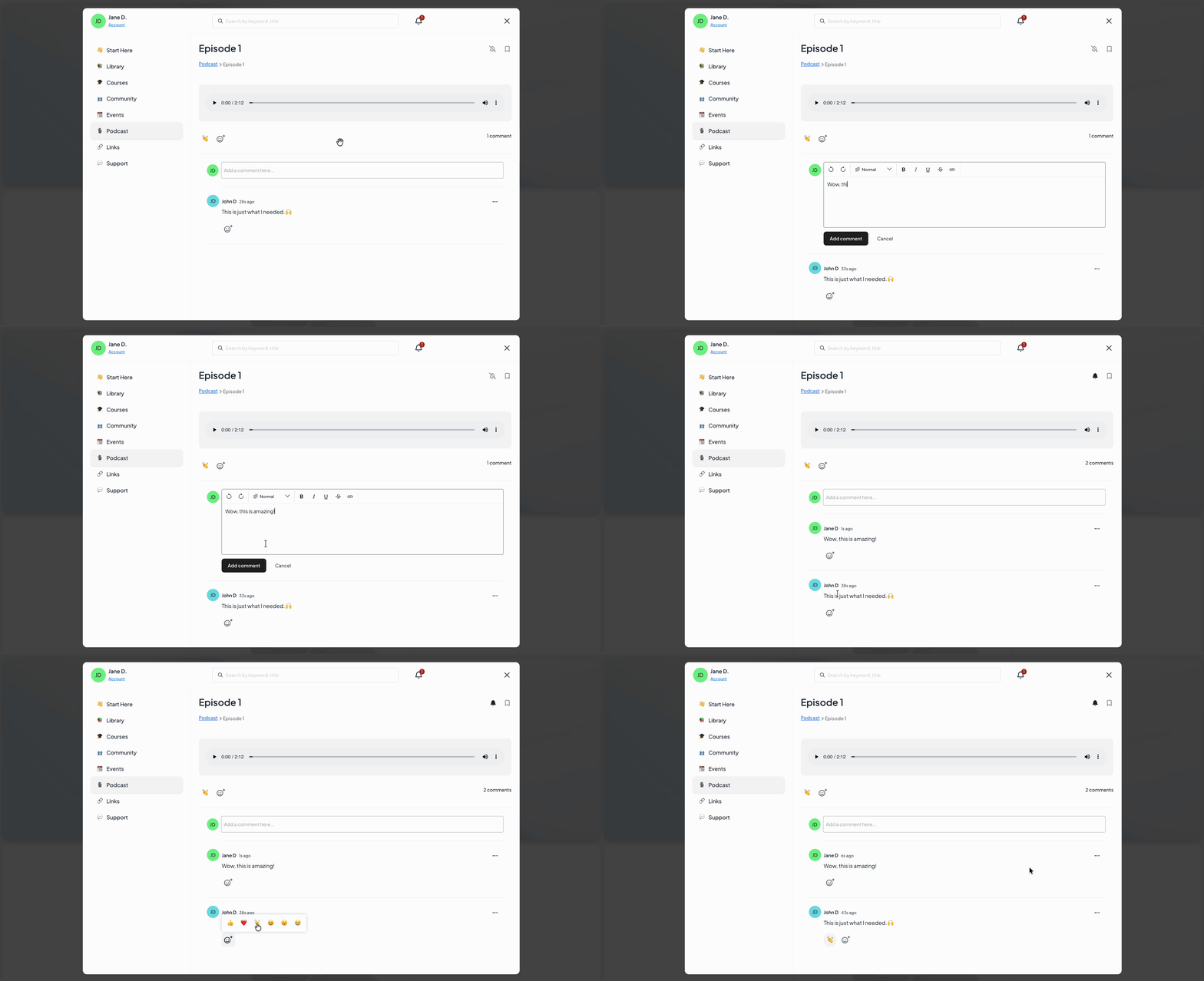
Together, they turn static content into an ongoing conversation!
Enabling comments on your content
You’re always in control of where comments appear.
Comments and reactions are enabled at the space level first, then turned on for individual content items within that space. This gives you flexibility to decide which areas of your MemberSpace support interaction and which remain read-only.
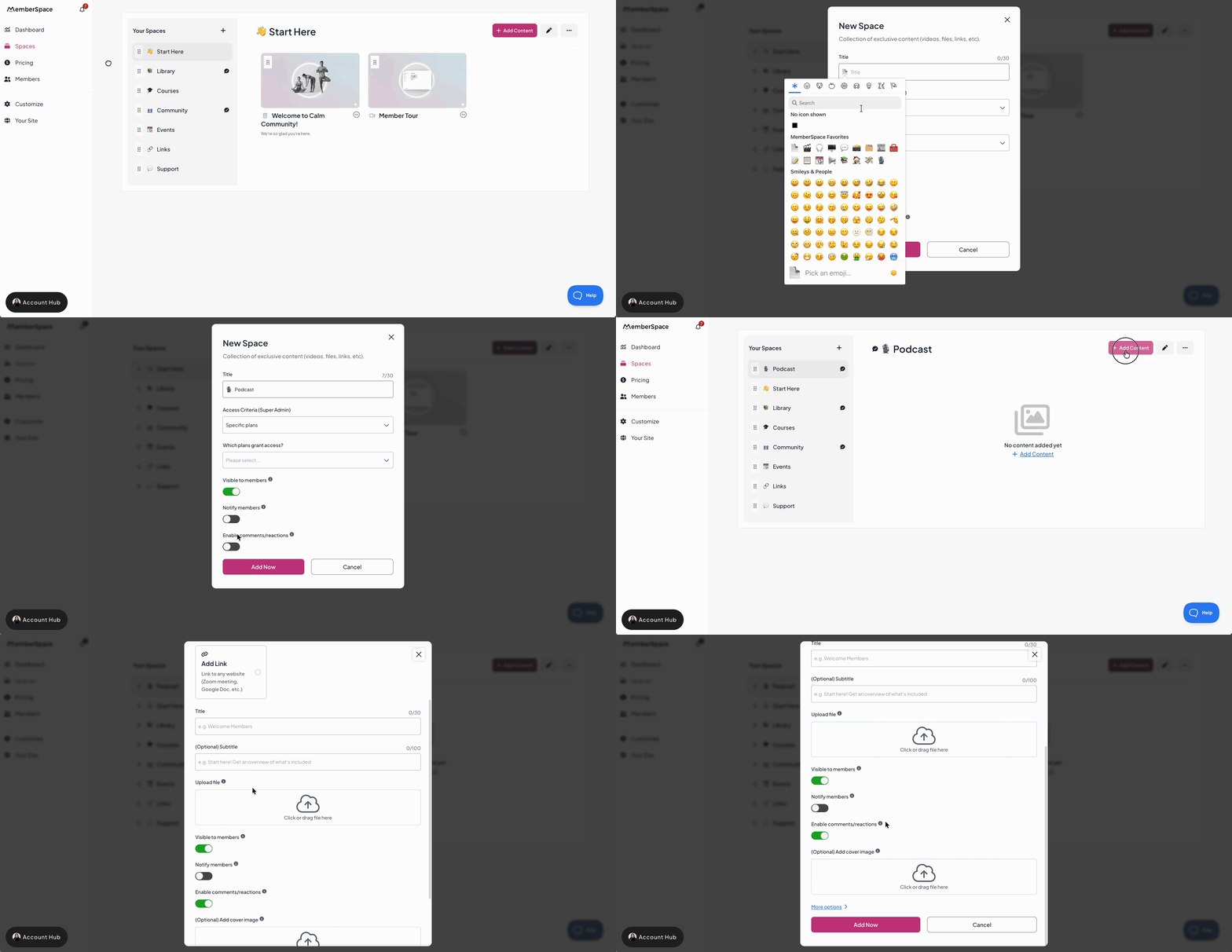
In your MemberSpace dashboard, a speech bubble icon helps visually indicate which content allows comments.

Want step-by-step instructions?
The member experience
Members can comment on your content and react to both content and comments using emojis.
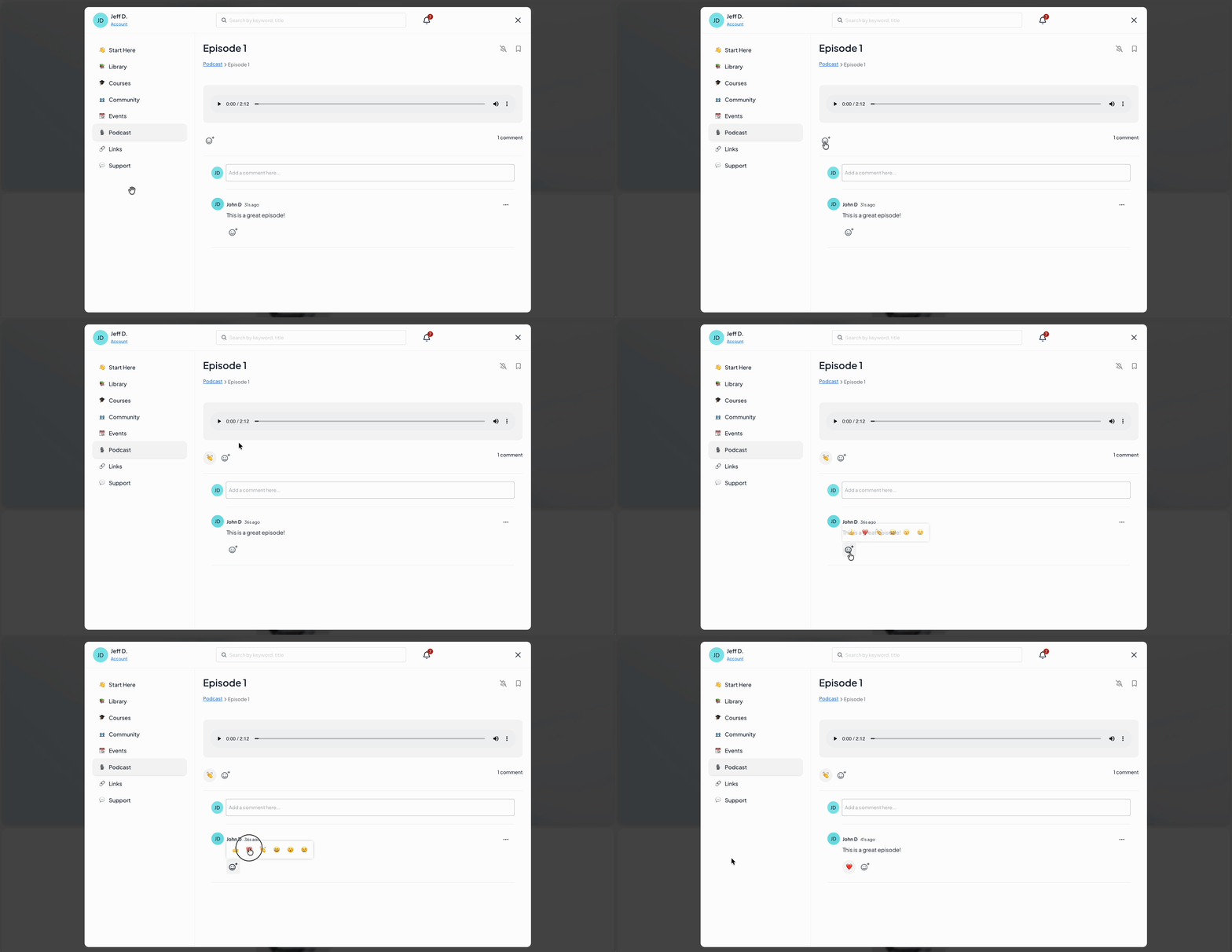
First-time commenting
- Agree to the MemberSpace community guidelines
- Optionally set a new display name
- Verify their identity by adding a valid payment method if they don’t already have one on file

Profiles and visibility
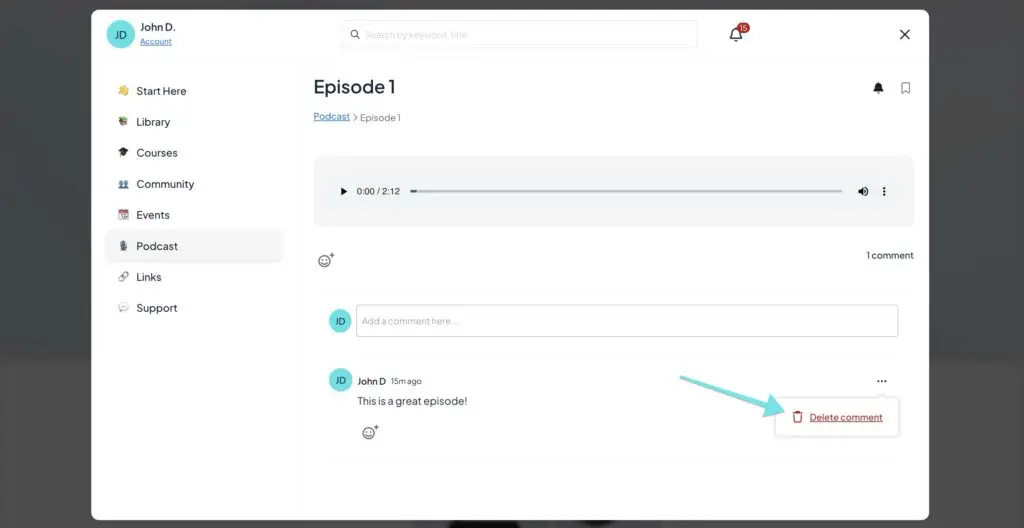
Members can delete their own comments at any time.
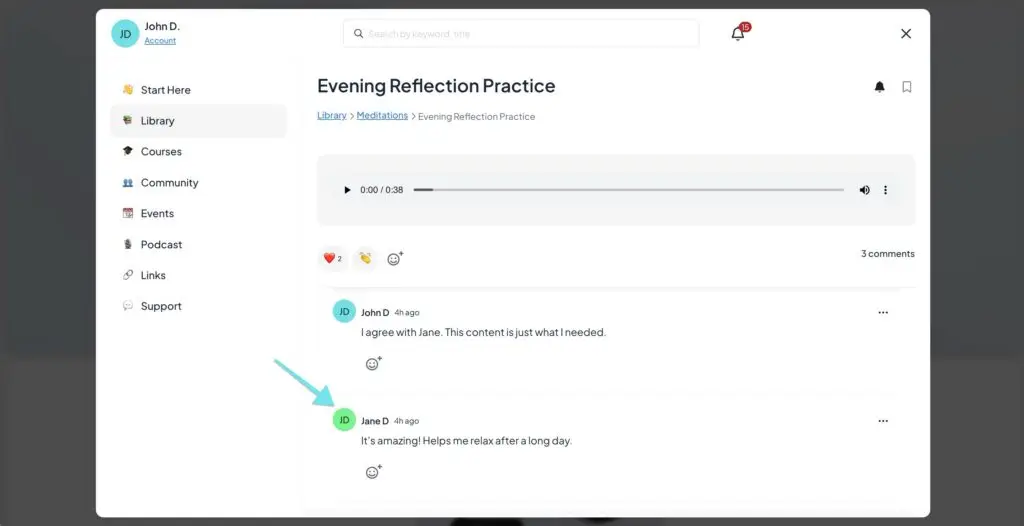
When viewing comments, they only see other members’ display names and profile photos, keeping interactions personal while protecting privacy.
Moderation & admin controls
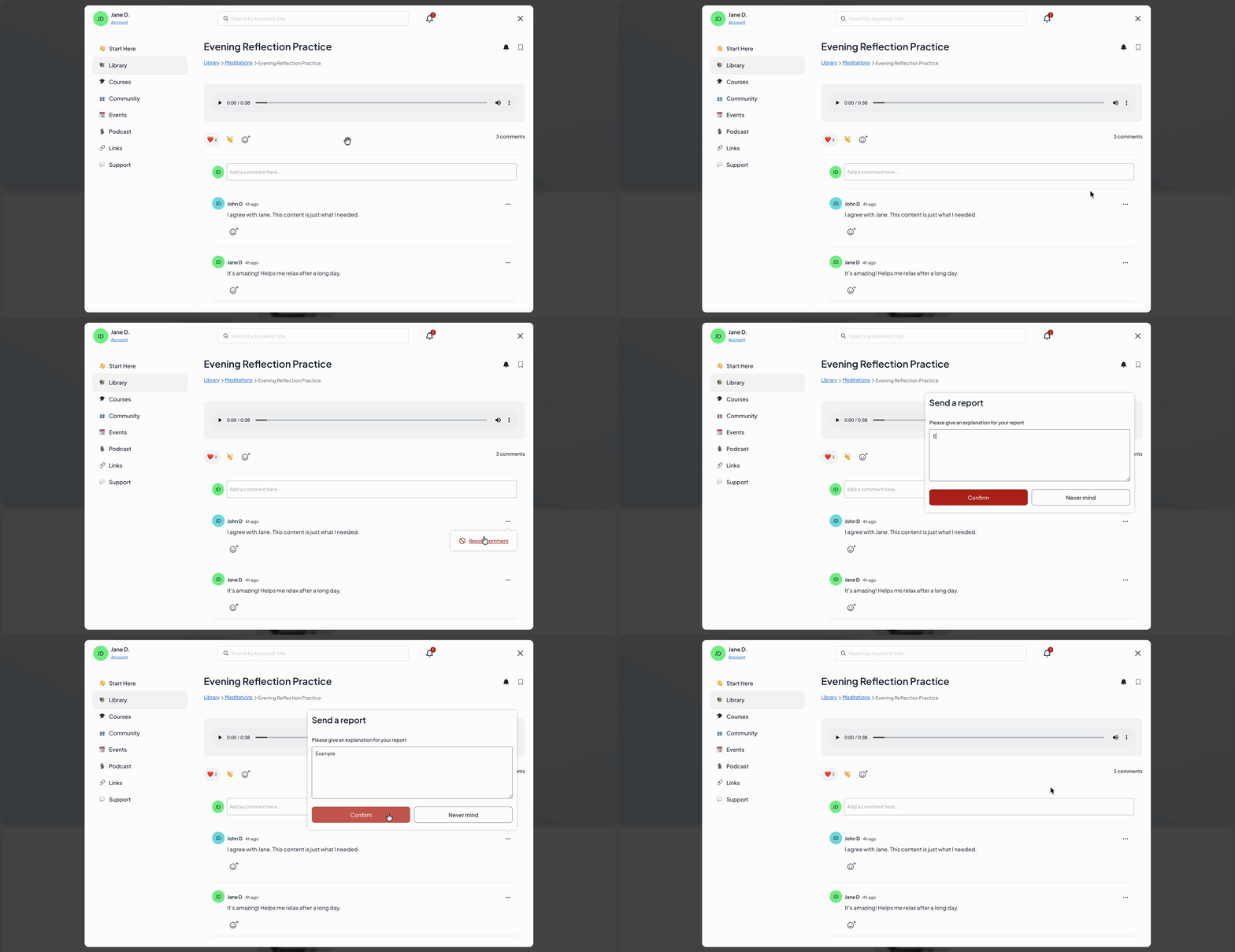
Members can report comments using the three-dot menu and include context to explain their concern. This helps surface issues quickly and keeps moderation from falling entirely on admins.
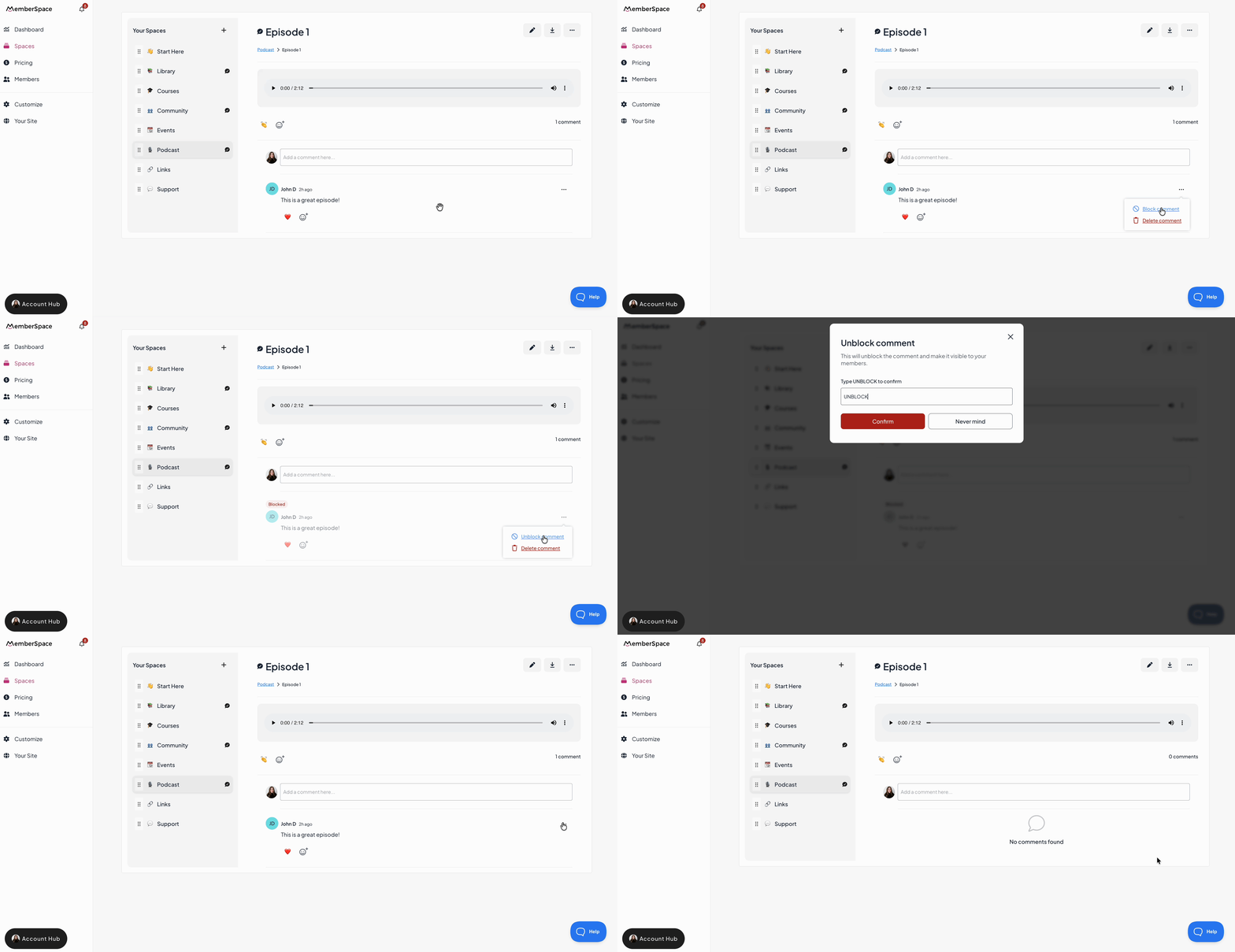
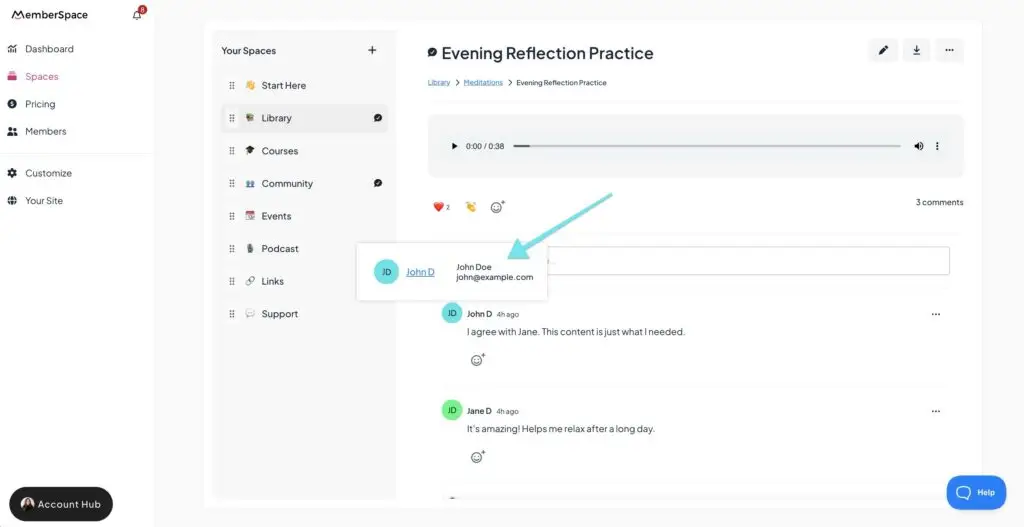
From within the comment thread, admins can view member profiles with full names and email addresses to better understand who’s participating and help with moderation.
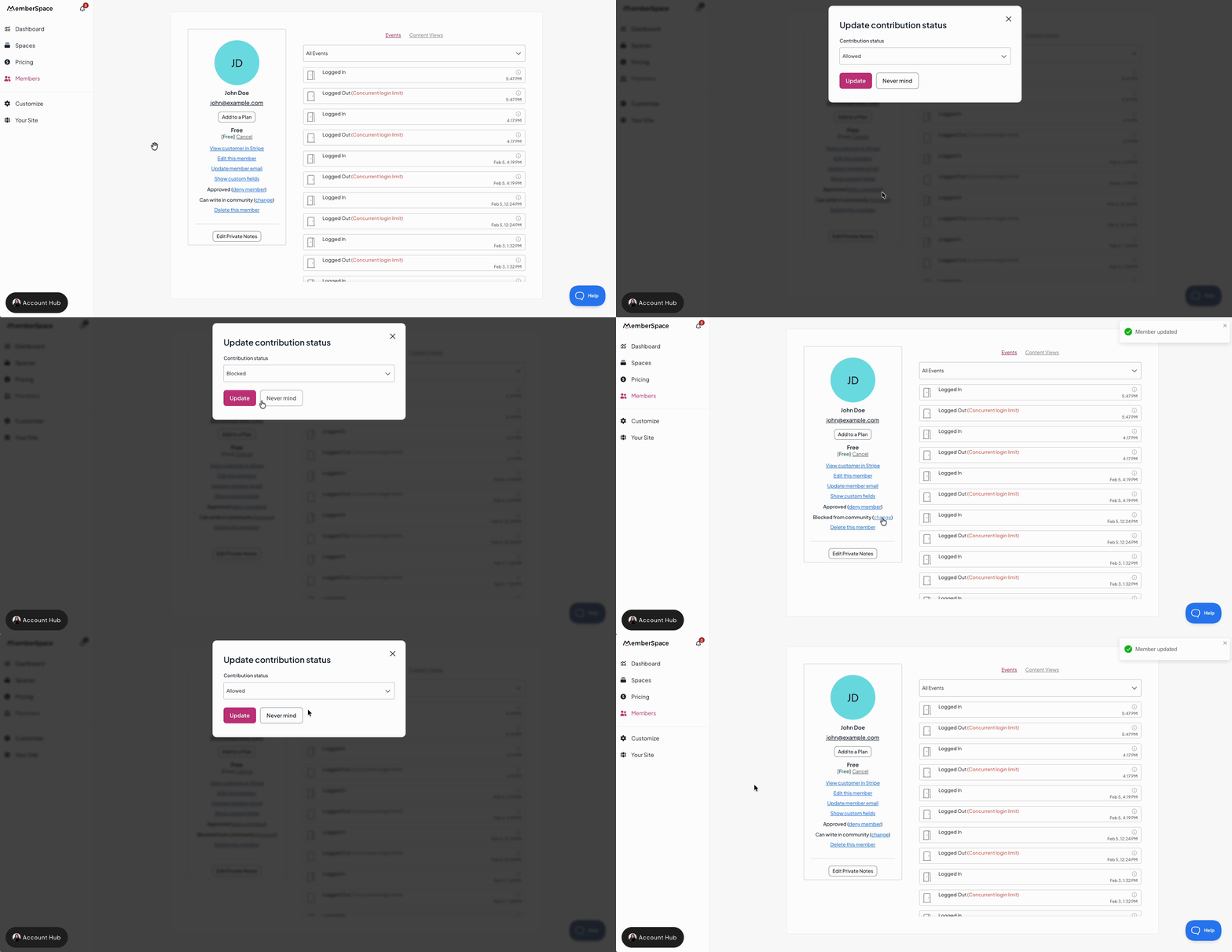
Member contribution status
Notifications
Comments and reactions work alongside MemberSpace’s existing notification tools to help members and admins stay in the loop.
Admin notifications
- a member or admin comments on any content
- a member reports a comment
You can click a notification to jump directly to the comment, mark notifications as read individually, or mark all as read at once.
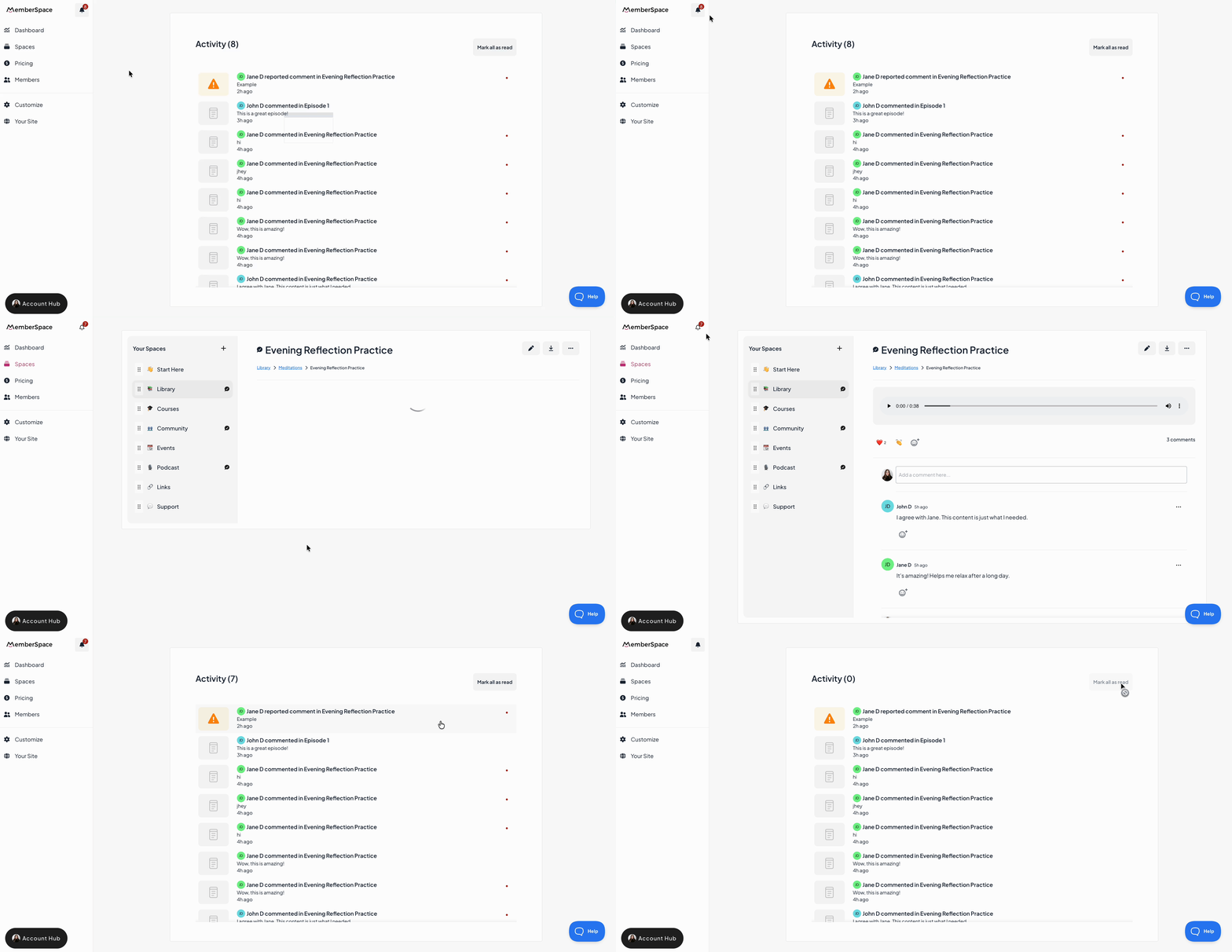
If a member reports a comment, admins also receive an email with details about who submitted the report, the explanation provided, and the comment in question.
Member notifications
- If a member comments on a piece of content, they’ll automatically start receiving notifications for that content.
- Members can also manually turn notifications on or off using the bell icon on the content.
- Comment notifications appear in members’ What’s New Feed.
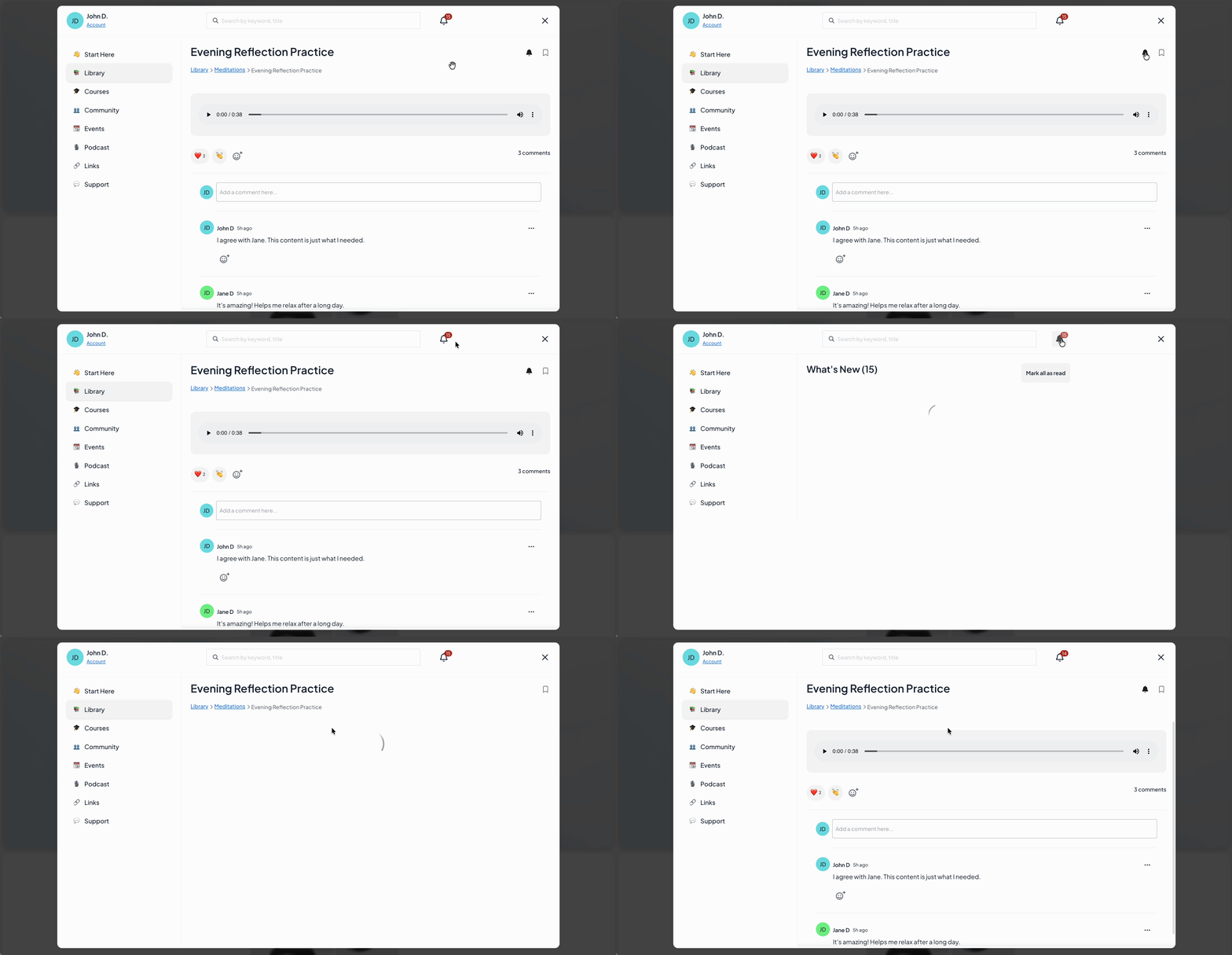
This helps members stay engaged in conversations they care about, without needing to check back manually.
Notifying members about content
When you add new content, you can notify members so it appears in their What’s New Feed.
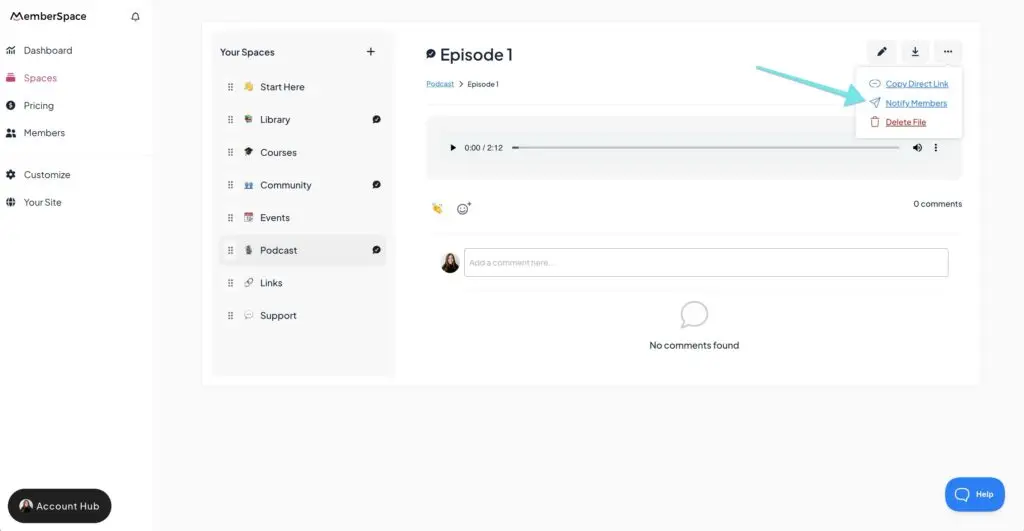
✨ You can also use Member Messages to send a quick email to your members with a direct link to specific content, making it easy for them to jump straight into the conversation.
What this means for your membership
- Gather feedback on lessons, resources, or updates
- Answer questions in context, right where the content lives
- Invite reflection or discussion around important topics
Best practices for getting started with comments
Comments and reactions are now live!
You can enable them on new or existing content at any time. A simple way to start is by adding comments to a piece of content you already share regularly, such as a newsletter, update, lesson, or announcement.
When you publish or share that content, invite members to “join the conversation” by:
- notifying them in their What’s New Feed
- sending a quick email via Member Messages with a direct link to the content
This creates a clear moment for engagement and helps members understand where interaction is happening.
Once members are familiar with commenting, you can continue adding intentional opportunities for interaction wherever it makes sense for your content.
Need help marketing your membership business? Sign up for our free newsletter, The Membership Blast, for actionable growth tips delivered every other week.
