
Haiden Hibbert
If you already have a Squarespace website, you’re ahead of the game. Your site looks professional, your branding is in place, and now you’re thinking: How do I actually start selling my services through this thing?
Maybe you’ve looked at Squarespace’s built‑in options for appointments, products, or digital downloads. But once you want more control over how you build your business, things can start to feel limiting.
That’s where MemberSpace comes in. It works alongside your existing Squarespace site and gives you the flexibility to sell virtual services, memberships, and client access your way, without rebuilding your site or forcing your business into a rigid structure.
This guide walks you through how to think about your services, choose a model that fits your goals, and use MemberSpace with Squarespace to turn your site into a real revenue engine.
Launch a service-based business on Squarespace!
The easiest way to accept membership payments or one-time charges for digital products like podcasts, online courses, communities, content libraries, and more — all from your own website!
Get started for free! 5 minutes to set up.
First: Get Clear on What You’re Actually Selling
Before setting up your services on your website, get clear on what your business looks like from the client’s point of view.
Ask yourself:
- Is this a one‑off service or ongoing support?
- Do clients work with me privately, in groups, or both?
- Do they need access to resources, recordings, or updates over time?
Common virtual services we see on Squarespace include:
- 1:1 consulting or coaching
- Group programs or workshops
- Retainers or ongoing support
- Paid communities or memberships
- Productized services with clear scope and pricing
Once you know what you’re selling, it becomes much easier to choose the right setup — and avoid rebuilding everything later.
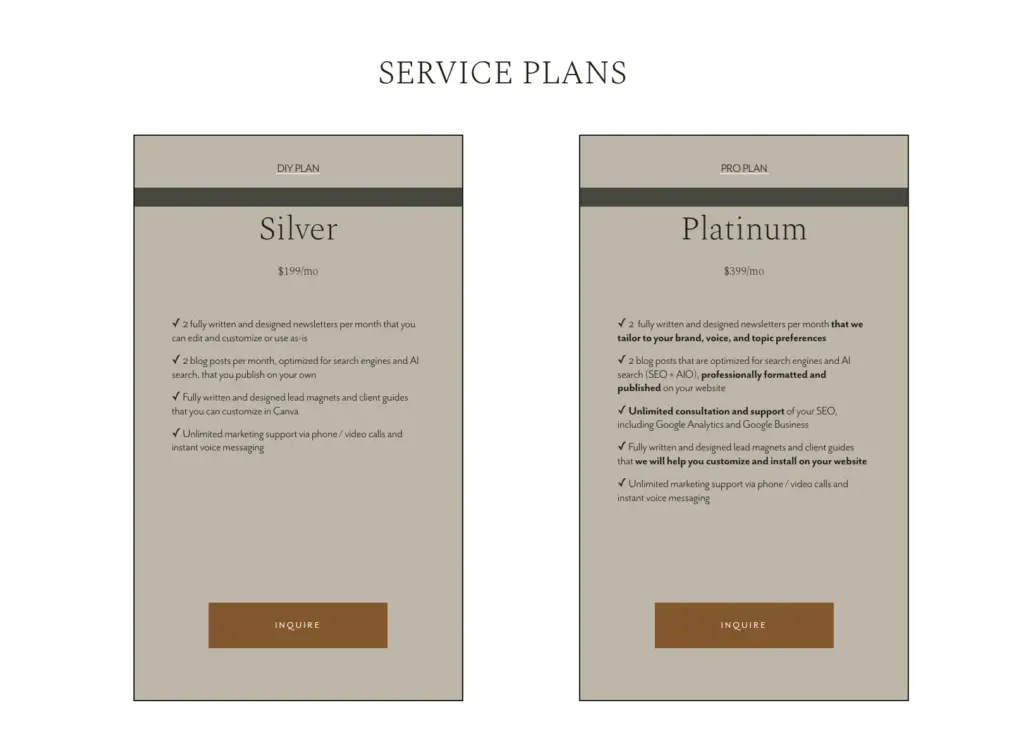
A great example of this in action is Kate from The Socialite Vault. She runs a membership that blends digital content and hands-on services.

 If you need ideas on what to provide your customers or clients, check out 10 Simple Service-Based Business Ideas for Online Entrepreneurs!
Choose a Service Model That Fits How You Want to Work
This is where many Squarespace users get stuck. The platform’s native tools are fine for simple bookings or products, but real service businesses tend to grow beyond that pretty quickly.
Here are a few common models:
One‑to‑one services
Great for high‑touch work, but limited by your time. These often pair well with protected client pages or ongoing access to shared resources.
One‑to‑many services
Group programs, workshops, or cohorts where multiple clients access the same content or calls at once.
Productized or membership‑based services
Fixed pricing, defined scope, and controlled access. This is where MemberSpace really shines, because you decide exactly what content is available to each plan.
Hybrid models
Many entrepreneurs combine all of the above — private work plus group programs, plus a membership or resource library.
MemberSpace lets you start simple and layer things in as your business grows, without changing your website structure.
Why MemberSpace Instead of Squarespace’s Native Tools?
Squarespace is great at design and structure. MemberSpace is great at access control and flexibility.
With MemberSpace, you can:
- Lock any page on your existing site
- Create a library of exclusive members-only content
- Create multiple plans without duplicating content
- Offer free trials, coupons, or comped access
- Grant or remove access manually when needed
- Sell memberships, retainers, or private client access
Most importantly, you’re not forced into a specific business model. You decide how people buy, what they get, and how long they have access.
Setting Up MemberSpace on Your Squarespace Site
1. Sign up for MemberSpace and connect it to your Squarespace site
Create a MemberSpace account, copy the code snippet, and paste it into your Squarespace site. This links MemberSpace to your existing pages without changing your design.
2. Upload and organize your exclusive content
Decide which pages, videos, or resources should be members‑only, then lock them in MemberSpace. You can protect anything from a single page to an entire resource library.
3. Set up your pricing plans
Create one or more plans that control who gets access to what. Choose your pricing, billing frequency, and optional free trials, then connect Stripe to accept payments.
4. Launch and start selling
Test your signup flow, make sure access works as expected, and then share your offer. Your Squarespace site is now ready to sell virtual services on your terms.
What to Put Behind the Paywall
Your protected content can be as simple or robust as you want.
Many service businesses include:
- Client resources (PDFs, templates, guides)
- Recorded trainings or walkthroughs
- Ongoing updates or posts
- Private client pages for deliverables and notes
- Replays of calls or workshops
You don’t need to overbuild. Start with what supports your service today, then add more as clients ask for it.
Create Private Spaces for Individual Clients
If you work closely with clients, you might need to offer them personalized content, which you can easily set up on MemberSpace by creating individual spaces of each of your clients. Then, you can give them access to:
- Files and deliverables
- Session notes or next steps
- Links and shared resources
Everything stays in one place, and clients don’t have to dig through email threads to find what they need.
Pricing Plans That Grow With You
MemberSpace lets you create multiple plans that all point to the same content — you simply control who gets access.
That means:
- No duplicating pages
- Easy upgrades and downgrades
- Clean transitions as your services evolve
Free trials work well if you offer ongoing value, like memberships or long‑term programs. Just be clear about what happens when the trial ends.
FAQs
Do I need to rebuild my Squarespace website to use MemberSpace?
No — MemberSpace works with your existing Squarespace site and doesn’t change your design or layout.
Can I use Squarespace’s native tools and MemberSpace together?
Yes. Many businesses use Squarespace for pages and scheduling, and MemberSpace for flexible access control and memberships.
What kinds of services can I sell with MemberSpace?
You can sell coaching, consulting, group programs, retainers, memberships, and any virtual service that requires gated access.
How do clients access their content after they pay?
They create a login and instantly get access to the pages and content included in their plan.
Can I offer free trials or custom access?
Yes. You can add free trials, coupons, or manually grant access to individual clients when needed.
What payment processors does MemberSpace support?
MemberSpace integrates with Stripe, so you can accept major credit cards securely.
Is this a good fit if I’m just starting out?
Yes. You can start with one service or plan and add more as your business grows.
Final Thoughts
If you already have a Squarespace website, you don’t need to start over to sell virtual services. You just need the right layer of flexibility on top.
MemberSpace lets you keep the site you love while giving you full control over access, pricing, and growth. You’re not locked into one way of selling — your business can evolve as you do.
Start simple. Sell one service. Lock one page. Learn from real clients. Then build from there.
That’s how sustainable service businesses are actually built.
Launch a service-based business on Squarespace!
The easiest way to accept membership payments or one-time charges for digital products like podcasts, online courses, communities, content libraries, and more — all from your own website!
Get started for free! 5 minutes to set up.