


The Webflow alternative for memberships

Keep your Webflow site. Add the memberships it lost.

Webflow switched off its built-in memberships, User Accounts, on January 29, 2026. MemberSpace adds member logins, payments, a community forum and courses to the Webflow site you already have, no code needed.

Works on any Webflow site. Free for 7 days.

  • 4.7 on G2
  • 4.9 on Capterra
  • 4.8 on Trustpilot
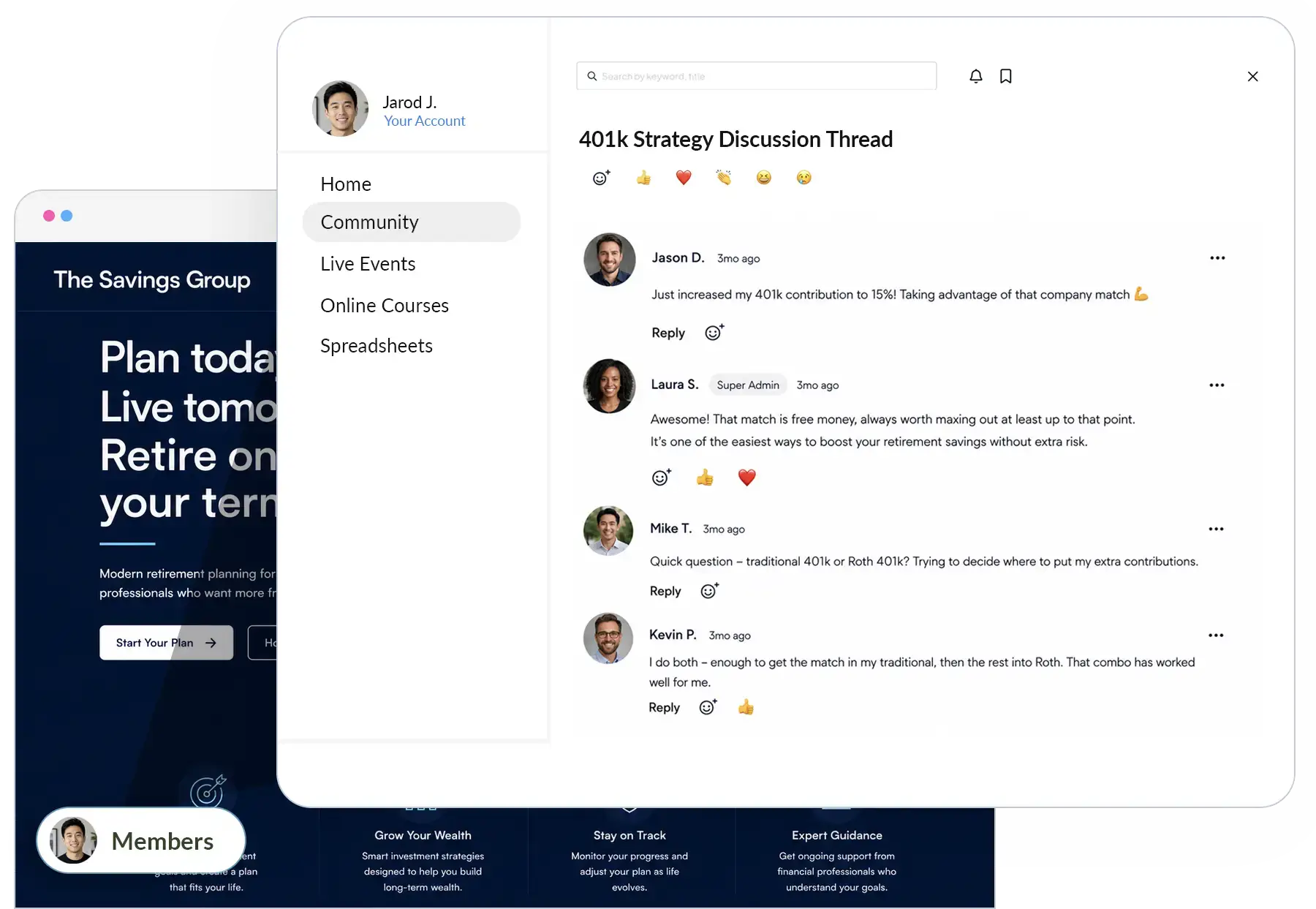
A members-only discussion thread on a creator's own website, added with MemberSpace instead of Webflow memberships

$350 million

earned by community leaders using MemberSpace

Entrepreneurs, creators and businesses manage paid communities, courses and content on their own websites with MemberSpace.

  • 4.7 / 5 on G2
  • 4.9 / 5 on Capterra
  • 4.8 / 5 on Trustpilot
Read MemberSpace reviews

Why Webflow site owners look elsewhere for memberships

Webflow is a great place to design a website. But when people search for a Webflow alternative, it's usually because their membership needs a new home.

  1. Built-in memberships are gone

    With Webflow Webflow disabled User Accounts on every site on January 29, 2026, and now points to third‑party apps.

    MemberSpace MemberSpace adds memberships to your Webflow site in minutes. See how it works.

  2. A password isn't a membership

    With Webflow What Webflow still includes is password protection for pages, not member accounts or logins.

    MemberSpace Members get their own logins, plans and billing, and you choose what each plan unlocks.

  3. Pricing that adds up

    With Webflow G2 and Capterra reviewers often call Webflow's pricing expensive or confusing, especially as a site grows.

    MemberSpace MemberSpace starts at $24/mo billed annually, with unlimited members on every plan. See pricing.

  4. A steep learning curve

    With Webflow Reviewers say Webflow takes real time to learn, so rebuilding memberships yourself is a big job.

    MemberSpace No code needed, plus email and 1:1 Zoom help from our team whenever you get stuck.

Based on Webflow's own announcement and developer changelog, webflow.com/pricing, and public Webflow reviews on G2 and Capterra, checked October 2026.

Works on any Webflow site. Free for 7 days.

Community first

Community, content and courses, right on your Webflow site

Community forums

A community forum that lives on your website

Members post, comment and get to know each other without ever leaving your site. Every conversation builds your brand and your website, not a third‑party platform.

  • Posts, comments and emoji reactions
  • Threaded replies for side conversations
  • Follow any discussion for real‑time notifications
  • Free or paid community spaces, as many as you need
  • Search, bookmarks and new‑post alerts
Explore community features
Community discussion thread on a creator's own website, a Webflow alternative

Your brand

Grow your brand, not someone else's platform

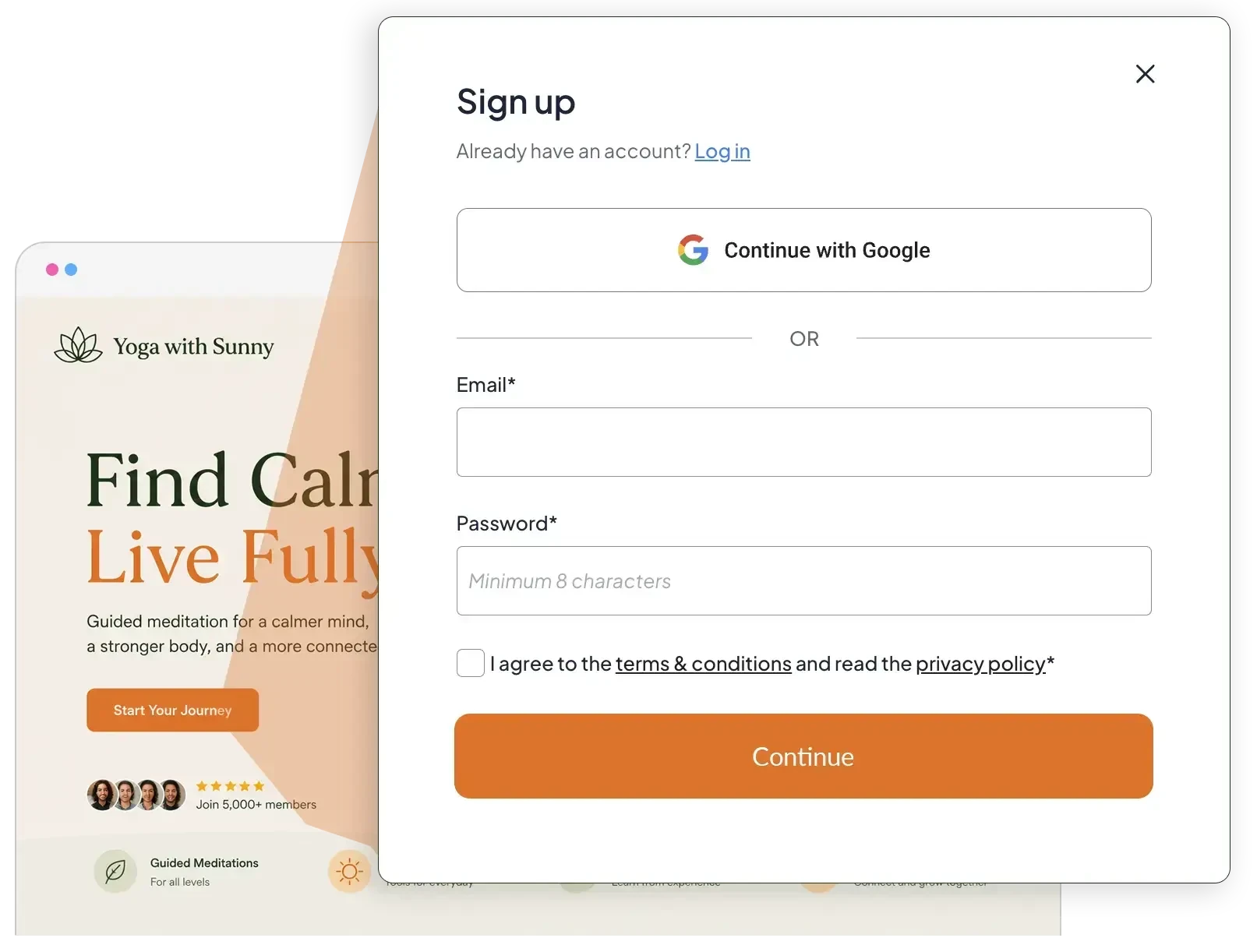
Your membership sits inside the website you've already designed. Members join in one click, pay in one tap, and come back to your site every time.

  • One-click sign-up and login with Google
  • Apple Pay and Google Pay checkout
  • Free trials and manual approval
  • Sell the same content across different plans
See every feature
Member sign-up with Google on a yoga website, part of switching from Webflow to MemberSpace

MemberSpace vs. Webflow for memberships

Webflow builds the site. Here's what each one gives you for running a membership on it.

Feature MemberSpace Webflow
Member accounts and logins Switched off Jan 29, 2026
Lock content for paying members By plan, with member logins Site and page passwords
Fee on sales 5% Starter, 2% Growth 2% Ecommerce Standard, 0% on Plus
Starting price $24/mo (billed annually) $15/mo site plan, Ecommerce from $29/mo
Help moving your members Free, done by our team Points you to partner apps and agencies

Webflow details from webflow.com/pricing, Webflow's User Accounts announcement and developer changelog, checked October 2026.

Works on any Webflow site. Free for 7 days.

What a membership on Webflow costs now

Webflow no longer runs memberships itself, so the real comparison is your Webflow site on its own vs. your Webflow site with MemberSpace. Here's a year of each.

Earning $1,000 a month

Webflow + MemberSpace Starter

$1,068 /year

  • Webflow Basic site plan, $15/mo $180
  • MemberSpace Starter, $24/mo $288
  • 5% fee on $12,000 $600

Webflow on its own

$180 /year

  • Webflow Basic site plan, $15/mo $180
  • Member accounts and logins Switched off

Earning $3,000 a month

Webflow + MemberSpace Growth

$2,088 /year

  • Webflow Basic site plan, $15/mo $180
  • MemberSpace Growth, $99/mo $1,188
  • 2% fee on $36,000 $720

Webflow on its own

$180 /year

  • Webflow Basic site plan, $15/mo $180
  • Member accounts and logins Switched off

Prices from webflow.com/pricing and MemberSpace's pricing page in October 2026, both billed yearly, before Stripe payment processing. Webflow on its own can't run a paid membership since User Accounts were switched off on January 29, 2026.

More than a community

Webflow handles the design. MemberSpace gives you the flexibility to sell community, courses, content and coaching, all from one dashboard and all on your Webflow site.

Online courses

Courses your way

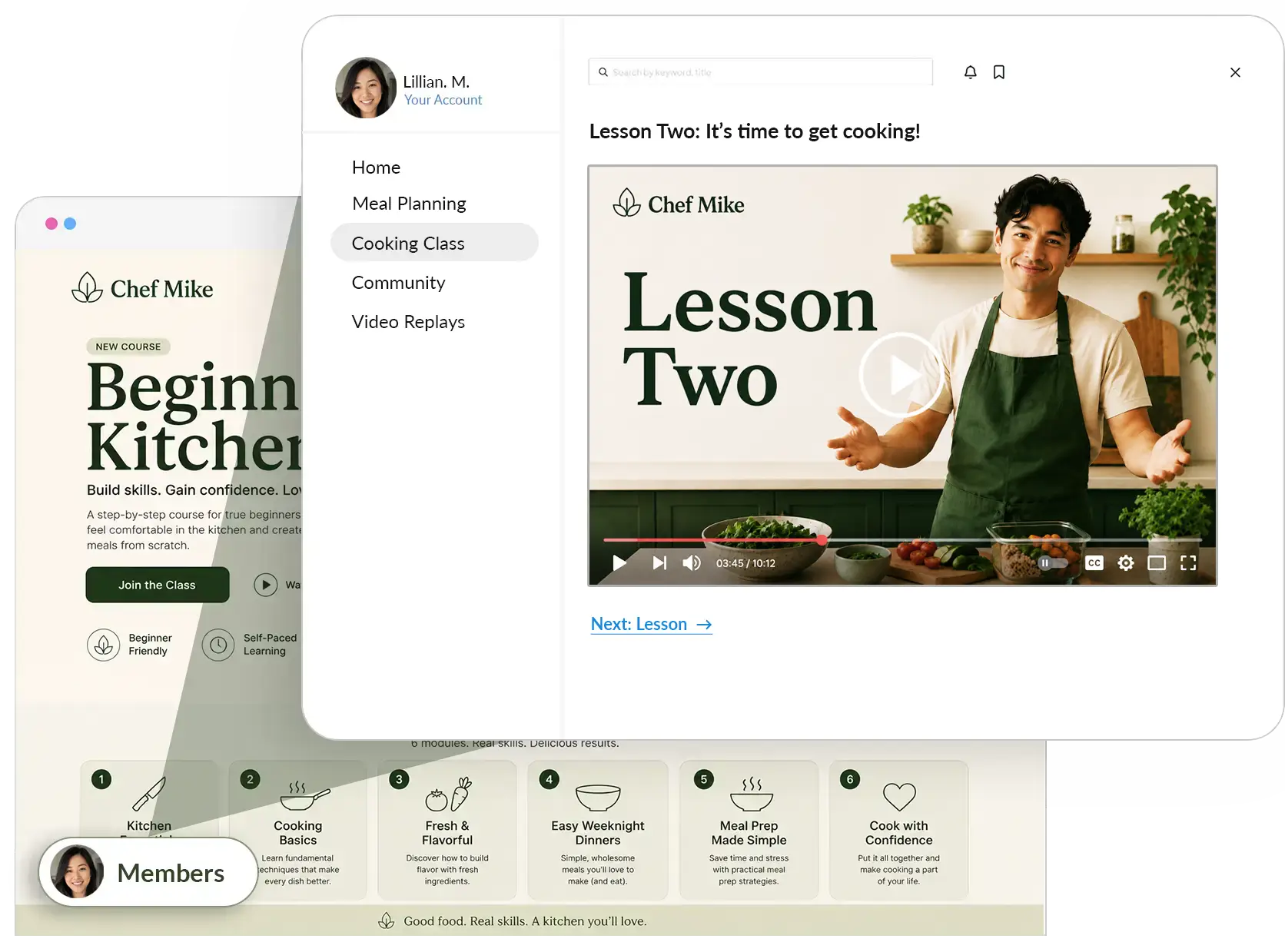
Build courses however you like. Members get new-lesson alerts and can search and bookmark anything.

Online courses
Online cooking course lesson on a creator's website, a Webflow alternative feature

Content library

A library members love to dig into

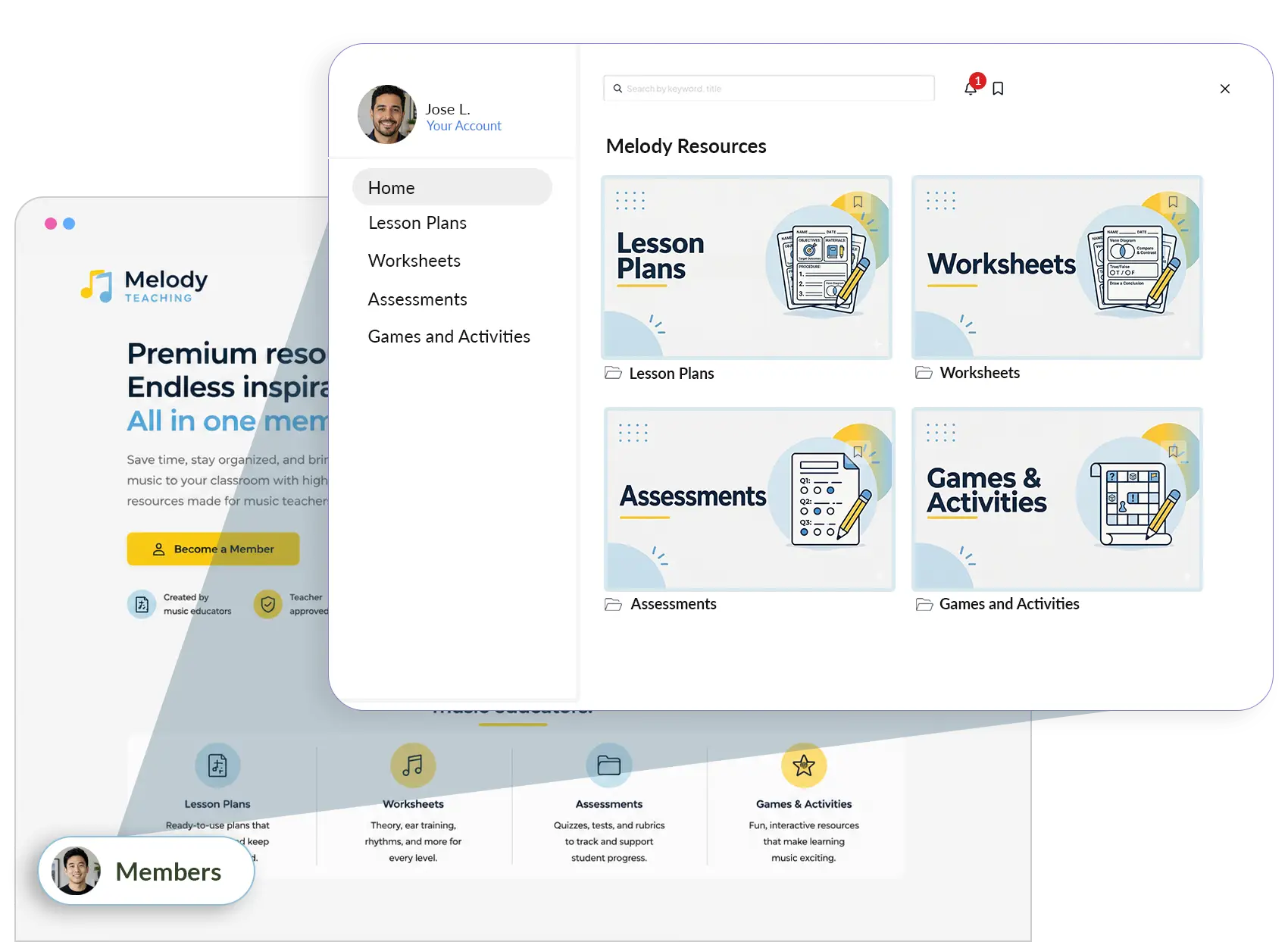
Lesson plans, videos, downloads and more, with search, bookmarks and new-content alerts built in.

Content library
Members-only content library of teaching resources, an alternative to Webflow
  • Courses

    Sell online courses your way, with new-lesson alerts, search and bookmarks for members.

    Online courses
  • Newsletters

    Put a paywall around your blog or newsletter, and email members with built‑in Member Messages.

    Paid newsletters
  • Coaching

    Sell coaching programs and client-only resources straight from your own website.

    Sell coaching
  • Gated files

    Protect downloads like ebooks, templates and worksheets so only members can get them.

    Digital downloads

Works on any Webflow site. Free for 7 days.

Human support and growth help

Real people, every single week

Switching platforms is a big decision, so you shouldn't have to figure it out alone. Every MemberSpace plan comes with real human help, plus weekly sessions to grow your membership business.

  • Email and 1:1 Zoom help from the MemberSpace team
  • Free weekly Live Support Hours for setup questions
  • Weekly Membership Business Coaching for sales, marketing and launches
  • Free member migrations, handled by our team
Membership Business Coaching
MemberSpace live support video call, real human help when you switch from Webflow

Moving from Webflow is easier than you think

Our team moves your members over for free, so you can switch without starting from scratch.

  1. Share your member list

    Fill in the spreadsheet our support team sends you.

  2. Keep or restart billing

    Keep members' current billing dates, or start fresh cycles.

  3. We import your members

    Each member gets an invite to activate their membership.

Memberships on Webflow: common questions

Does Webflow still have memberships?

No. Webflow switched off User Accounts, its built-in memberships, on all sites on January 29, 2026, and now recommends third-party apps instead. Webflow sites still have page password protection, but not member accounts.

Do I have to leave Webflow to use MemberSpace?

Not at all. Keep designing in Webflow and add MemberSpace on top for member logins, payments, a community forum and courses. No code needed, and setup takes a few minutes. MemberSpace for Webflow.

Can I move my members from Webflow to MemberSpace?

Yes, and it's free on any paid plan. Our team imports your members from a simple spreadsheet, and each member gets an invite to activate their account. If you have Stripe customer IDs, we can sync payment details so members don't re-enter them. Learn about migrations.

Does MemberSpace work with my website?

Almost certainly. MemberSpace works with Squarespace, Wix, Showit, Webflow, WordPress, Duda, Notion and any other website builder. Setup takes a few minutes.

Can I sell more than one kind of product?

Yes. Sell online courses, a content library, community forums, paid newsletters, coaching and gated downloads, separately or bundled into membership plans.

Bring your members home

Give your members one place to learn, talk and belong: your website.

Try for free

Any website works. Free for 7 days.