
Haiden Hibbert
Canva isn’t just a design tool anymore — it’s where a lot of digital products start.
We see this all the time with MemberSpace customers. Someone starts with a simple Canva file, sells it once, then realizes, oh… this could actually be a thing. A product. A library. A membership.
If you’re thinking about selling Canva-based products in 2026, the opportunity is still very real. But the ideas that work best aren’t flashy or complicated. They’re practical. They save time. They solve one specific problem.
Here’s a list of Canva digital product ideas that make sense right now — and are only going to get more relevant as we move into 2026.
Sell Canva digital products!
The easiest way to accept membership payments or one-time charges for digital products like online courses, communities, content libraries, and more — all from your own website!
Get started for free! 5 minutes to set up.
1. Canva Templates for Membership Content
Membership owners are always creating content — onboarding guides, monthly updates, resource libraries, welcome packets.
What they don’t want to do is design everything from scratch.
Canva templates for things like:
- Member welcome guides
- Monthly content drop layouts
- Resource library covers
- Member-only workbooks
These sell well because they’re immediately useful. Someone can buy the template, duplicate it, and start using it the same day.
This works especially well if you niche down. Templates specifically for coaches, creators, course sellers, or community owners tend to perform better than generic ones.
2. Content Planning & Organization Templates
Planning is one of those things people know they should do — but often avoid because it feels overwhelming.
Canva planners make it feel lighter.
Ideas that work:
- Monthly content planners
- Launch planning boards
- Editorial calendars
- Membership content roadmaps
These don’t need to be fancy. Simple layouts that help someone see their plan at a glance usually outperform over-designed templates.
Bonus: these pair really well with memberships. Many creators sell the planner once, then offer ongoing planning support or updates inside a paid membership.
3. Client-Facing Templates (Onboarding, Reports, Deliverables)
If your audience works with clients, this category is gold.
Think:
- Client onboarding packets
- Proposal templates
- Progress reports
- Recap summaries
These products sell because they help people look more professional without spending hours formatting documents.
We see a lot of creators turn this into a bundle — one-time purchase upfront, then optional ongoing access to updates, new layouts, or niche-specific versions.
4. Canva Templates for Digital Products
A lot of people want to sell digital products… they just get stuck on the setup.
Templates that help them build the product itself are incredibly appealing.
Examples:
- Workbook templates
- Mini-course slide layouts
- Challenge templates
- Notion-style worksheets recreated in Canva
These work well because they remove friction. Instead of starting with a blank page, buyers start with structure.
This is one of the easiest entry points into selling Canva products — especially if you’ve built digital products yourself and can say, “Here’s the exact layout I use.”
5. Social Content Systems (Not Just Templates)
Single social media templates still sell — but systems sell better.
Instead of “50 Instagram templates,” think:
- A reusable content system
- A posting framework with examples
- Templates paired with prompts or guidance
Creators want clarity more than volume.
If your Canva product helps someone answer, “What should I post?” — not just “What should it look like?” — you’re already ahead.
6. Lead Magnet Templates
Lead magnets aren’t going anywhere.
In 2026, people will still want:
- Checklists
- Short guides
- Worksheets
- Quick-start PDFs
Canva templates for lead magnets work especially well when they’re designed for a specific outcome, like:
- Growing an email list
- Booking more calls
- Selling a membership
These products are often low-cost, but they convert well and bring in new customers who later upgrade to higher-ticket offers.
7. Canva Templates for Coaches & Consultants
This niche consistently buys.
Templates like:
- Coaching session worksheets
- Action plans
- Reflection prompts
- Client progress trackers
These don’t need to be complicated — they just need to feel thoughtful and usable.
Many successful sellers package these as a growing library, which makes them perfect for a membership-style offer.
8. Branding Kits for Small Businesses
Full brand design is expensive. DIY branding is not.
Canva branding kits that include:
- Color palettes
- Font pairings
- Logo placeholders
- Brand guide templates
Appeal to business owners who want something cohesive without hiring a designer.
These work best when you’re clear about who they’re for — local businesses, online creators, service providers, or membership owners.
9. Resource Libraries Built in Canva
Instead of selling a single template, some creators are building entire Canva-based libraries.
Think:
- A growing collection of templates
- Ongoing updates
- New resources added monthly
This model works well with memberships because it gives people a reason to stick around.
You don’t need dozens of templates to start. A small, focused library is often enough — especially if it solves one consistent problem.
10. Educational Canva Products (Templates + Guidance)
One of the strongest trends we’re seeing is products that combine design with direction.
For example:
- A template plus a short guide on how to use it
- A workbook paired with simple instructions
- A planner with examples filled in
People don’t just want files. They want confidence.
Adding light guidance makes your product feel more complete without turning it into a full course.
How to Create and Sell Digital Products with Canva
You don’t need a complicated setup to start selling Canva products. You just need a clear idea, a simple build process, and a way to sell directly from your own site.
Here’s a straightforward way to do it.
Step 1: Choose the Right Digital Product to Sell
Start small.
The best Canva products usually come from things you’ve already made for yourself or your business.
Ask yourself:
- What do people ask me for help with?
- What templates do I reuse over and over?
- What would save someone time right now?
Try to solve one specific problem with one clear outcome. A single useful template will almost always outperform a massive bundle that feels overwhelming.
If you’re unsure, test one idea first. You can always expand later.
Step 2: Create Your Digital Product in Canva
Once you know what you’re selling, build it in Canva.
Keep the design simple and easy to customize. Most buyers want to tweak colors, fonts, and copy — not fight with locked layouts.
A few tips that help:
- Use clear page titles so people know how to use each section
- Leave white space so templates feel flexible
- Include a short intro page explaining what the product is and how to use it
When it’s ready, you can either export the file (like a PDF) or share it as a Canva template link, depending on how you want customers to use it.
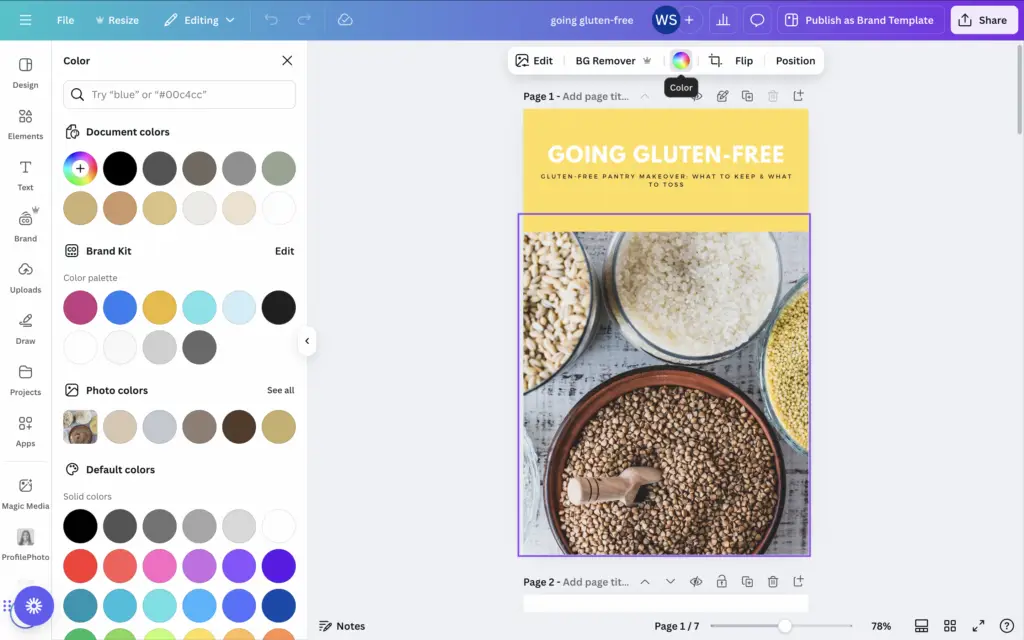
 Quick Tip: Before selling your product, review Canva’s commercial usage terms to ensure you’re following the licensing rules.
Step 3: Sell Your Digital Products on Your Own Website
This is where having control really matters.
With MemberSpace, you sell directly from your own site — no marketplaces, no third-party branding, no giving up customer relationships.
Here’s a simple setup that works well:
Install MemberSpace on your website
MemberSpace works with tools like WordPress, Squarespace, Webflow, and custom sites. Once installed, it handles payments, access, and member accounts for you.Create a landing page for your digital product
This is a normal page on your site where you explain what the product is, who it’s for, and what someone gets when they buy. The examples below show a landing page for a single product, as well as one for multiple products.


3. Add your digital product to MemberSpace
You can upload files directly to MemberSpace (like PDFs) or add links to Canva templates. MemberSpace controls who gets access.
4. Set your pricing
You have flexibility here:
- One-time purchase
- Recurring subscription (great for template libraries or memberships)
- Multiple payments
- Or even free, if it’s a lead magnet
5. Add your MemberSpace link to your landing page
MemberSpace gives you a checkout link for your pricing plan. Add this link to your landing page as your buy button. When someone clicks it, they’re taken straight to checkout where they can purchase and get access immediately.
This setup works whether you’re selling one template, a growing resource library, or a full membership with ongoing updates.
Final Thoughts
And that’s it! With Canva, you can quickly create digital products, and with MemberSpace, you can sell them on your own terms. Whether it’s ebooks, planners, templates, or online course materials, this setup gives you full control over your sales and lets you build a business that works for you.
If you’re ready to start selling, check out MemberSpace to turn your website into a profitable digital product store.
Sell Canva digital products!
The easiest way to accept membership payments or one-time charges for digital products like online courses, communities, content libraries, and more — all from your own website!
Get started for free! 5 minutes to set up.