
Haiden Hibbert
If you’re already on Squarespace and trying to add a coaching or consulting membership, you’ve probably noticed how quickly the native tools start to feel limiting.
Squarespace is great for content and design, but memberships aren’t really its strength. As soon as you want multiple access levels, recurring subscriptions, or a mix of free and paid content, the built‑in features begin to feel shallow.
This post is for Squarespace users who want to launch a coaching or consulting membership without rebuilding their site, switching platforms, or giving up control over how things work.
Launch a Coaching Membership on Squarespace!
The easiest way to accept membership payments or one-time charges for digital products like online courses, communities, content libraries, and more — all from your own website!
Get started for free! 5 minutes to set up.
How to Set Up Your Coaching/Consulting Membership
You don’t need a complicated build process to get this live. At a high level, setting up a coaching or consulting membership on Squarespace looks like this:
1. Connect MemberSpace to Your Squarespace Site
Sign up for MemberSpace and connect it to your existing Squarespace website. You’ll add a small code snippet to your site once, which enables member logins and content protection. No redesign required.
2. Add Your Members‑Only Coaching Content
Create or identify the Squarespace pages you want to make private. This might be coaching workshops, consulting resources, templates, or private posts. MemberSpace lets you choose exactly which pages are members‑only.
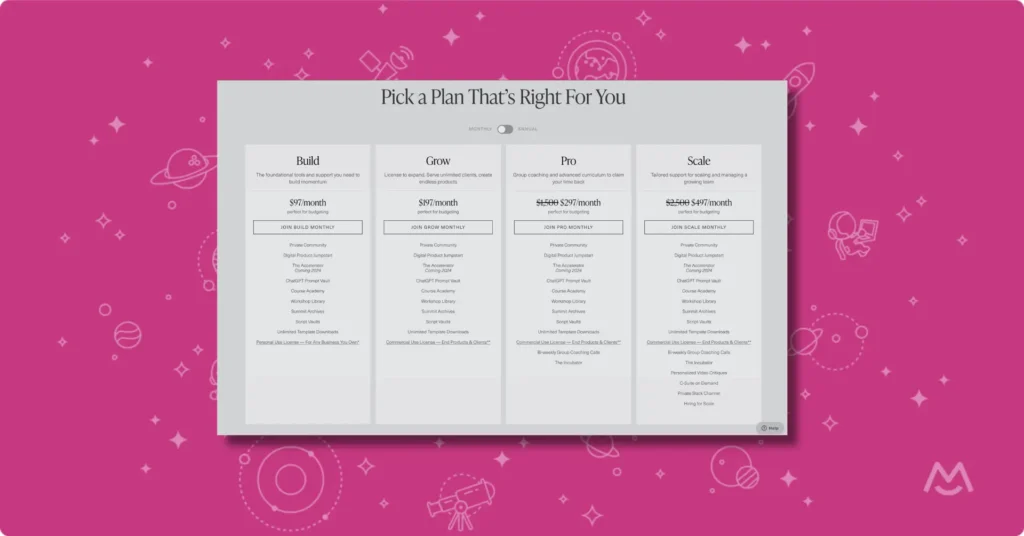
3. Set Up Your Pricing Plans
Create your free and/or paid plans in MemberSpace and connect Stripe for payments. You can control which pages each plan can access and adjust pricing or access later as your offer evolves.
4. Launch and Invite Members
Grab the direct link to your pricing plan(s) and add it to a simple “Join” or “Get Access” button on your site, test the signup flow, and launch. From there, MemberSpace handles logins, payments, and access to your exclusive content automatically.
Adding Flexibility Without Leaving Squarespace
Instead of replacing Squarespace, many coaches and consultants add a tool like MemberSpace.
MemberSpace doesn’t change how your site looks or how you manage content. Your pages still live in Squarespace. Your design stays the same. You keep editing everything exactly where you expect it to be.
What MemberSpace adds is more than software:
- Ability to upload exclusive content to a beautiful members-only library
- Gate any pages of your Squarespace website
- Sell access to your content however you want
- Create a membership or sell digital products and services with complete flexibility
What to Include in Your Coaching or Consulting Membership
You don’t need a huge content library to launch. Many memberships start small and expand over time.
Common content includes:
- Recorded coaching calls or workshops
- Strategy guides or long‑form resources
- Consulting frameworks or playbooks
- Templates or tools you already use with clients
Because everything lives in MemberSpace, it’s easy to add or update content as your offer evolves.
Why This Setup Works Well for Squarespace Users
People choose Squarespace because it’s clean, controlled, and relatively low‑maintenance. Adding MemberSpace doesn’t change that.
You keep:
- Your existing Squarespace site
- Your design and branding
- Full control over your content
You gain:
- More flexible memberships
- Better subscription management
- Room to grow without switching platforms
FAQ: Squarespace Coaching and Consulting Memberships
Can you build a coaching membership on Squarespace?
Yes. Squarespace can host all of your content and design. For more advanced membership features like multiple plans or subscriptions, many coaches use a tool like MemberSpace alongside Squarespace.
Are Squarespace membership features enough for consultants?
They can be for simple setups. If you only need a single paid area, native features may work. Consultants offering ongoing access, multiple tiers, or retainers often need more flexibility.
Do I need to rebuild my site to add a membership?
No. MemberSpace works with your existing Squarespace pages. You’re adding access control, not rebuilding your website.
Can I offer free and paid memberships on Squarespace?
Yes. With MemberSpace, you can offer both free and paid plans on the same Squarespace site and control access by membership level.
How do subscriptions work on Squarespace?
Squarespace alone has limited subscription options. MemberSpace integrates with Stripe to handle recurring payments, renewals, and access management automatically.
Is this setup good for new coaches or consultants?
Yes. It’s a practical way to launch quickly, validate your offer, and grow over time without committing to a more complex platform.
Final Thoughts
Squarespace is a solid foundation for a coaching or consulting business, but its membership tools are intentionally simple.
If you want to launch a coaching or consulting membership on Squarespace — while keeping control over your site and doing things your own way — adding a tool like MemberSpace fills in the gaps without creating unnecessary complexity.
Your site stays the same. Your options expand.
Launch a Coaching Membership on Squarespace!
The easiest way to accept membership payments or one-time charges for digital products like online courses, communities, content libraries, and more — all from your own website!
Get started for free! 5 minutes to set up.