
Haiden Hibbert
Podcasts can bring huge value to an online business – building authority, sharing your message, and better engaging with your audience. But why put in the extra work to make a paid, private podcast on your Squarespace site? There are a few key reasons!
- Share members-only content – A private podcast gives you a channel to deliver exclusive content just for paying members. This makes your subscribers feel valued and a part of an exclusive community!
- Earn recurring revenue – A private podcast can generate monthly or yearly revenue from ongoing subscriptions.
- Improved subscriber engagement – Since subscribers pay to access your podcast, they tend to be much more invested and engaged versus casually listening to free content.
Launch a private podcast on Squarespace!
The easiest way to accept membership payments or one-time charges for digital products like podcasts, online courses, communities, content libraries, and more — all from your own website!
Get started for free! 5 minutes to set up.
Step 1: Add MemberSpace to Your Squarespace Website
While Squarespace does allow you to embed audio files on your pages, if you want to build a private podcast, grow your subscriber list, and/or monetize your episodes, you’ll need a tool like MemberSpace that allows you to build a podcast community your way.
Getting started is easy. Sign up for a MemberSpace account for free, then add MemberSpace to your Squarespace site by pasting a small snippet of code into your site’s header. This takes just 30 seconds – no coding skills needed.
Step 2: Upload Your Podcast Episodes Directly to MemberSpace
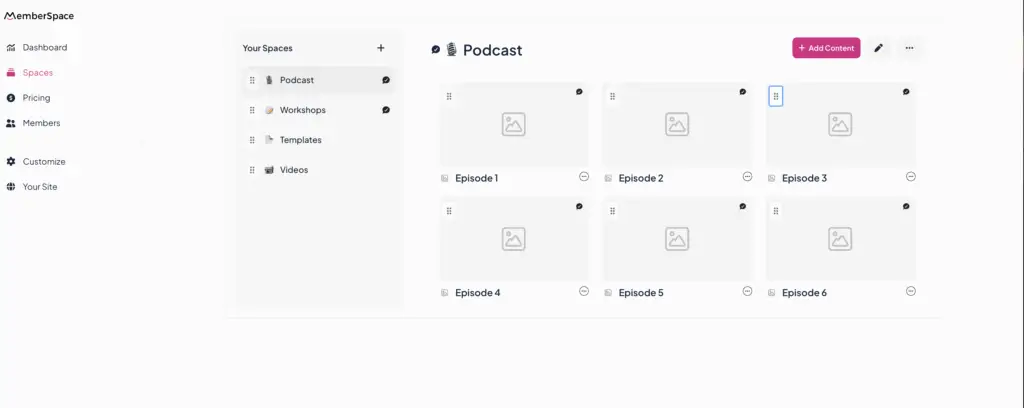
Uploading your podcast episodes is simple. Just upload your audio files directly into MemberSpace’s dashboard.
You can organize your episodes using “Spaces” — customizable categories that can represent months, series titles, themes, or whatever fits your podcast. You can also create drag-and-drop folders and nested folders to keep everything tidy and easy for your members to browse.
This gives you full control over your podcast library — something Squarespace’s native audio blocks can’t offer.
Step 3: Set Up a Pricing Plan
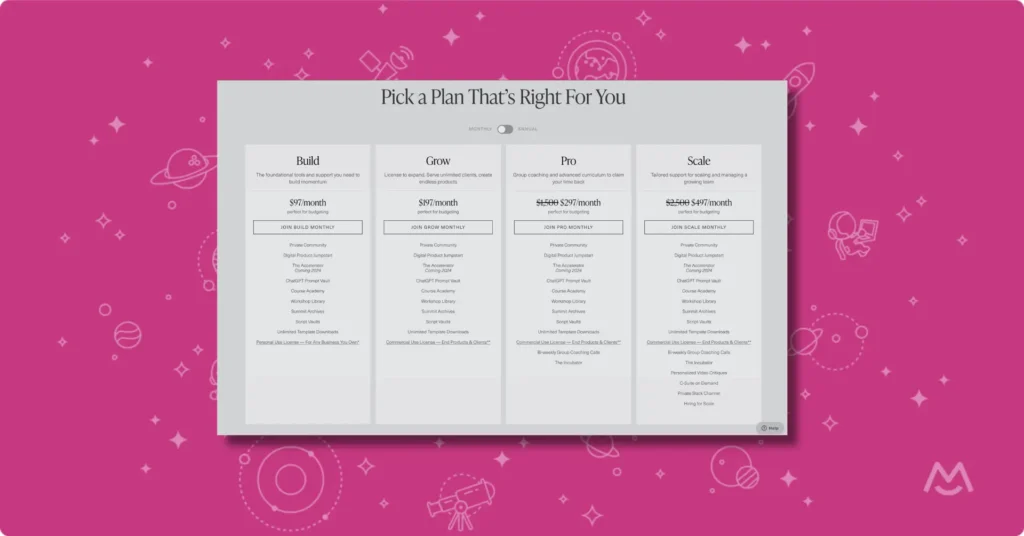
MemberSpace lets you create membership plans that fit your goals:
- Offer a free members-only podcast
- Set up a paid subscription with recurring billing
- Create one-time payment options or installment plans
- Build multiple tiers — for example, a free tier for podcast access, a paid tier that adds community access, and a premium tier with coaching or bonus content
- Offer free trials or discounts as needed
This flexibility makes it easy to turn your podcast into a sustainable membership business right on your Squarespace site.
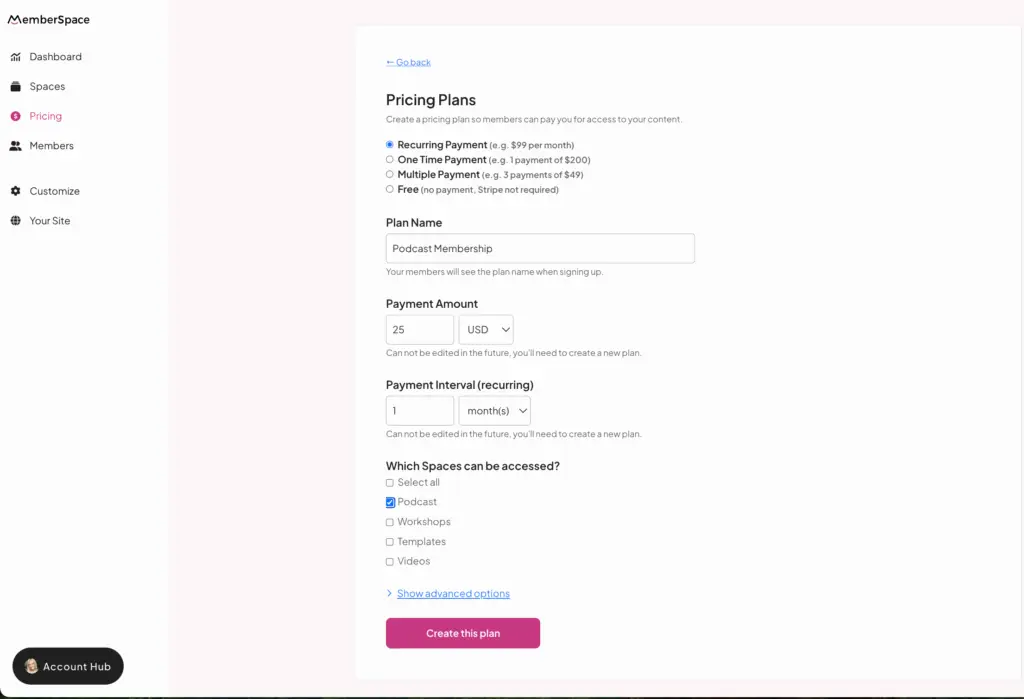
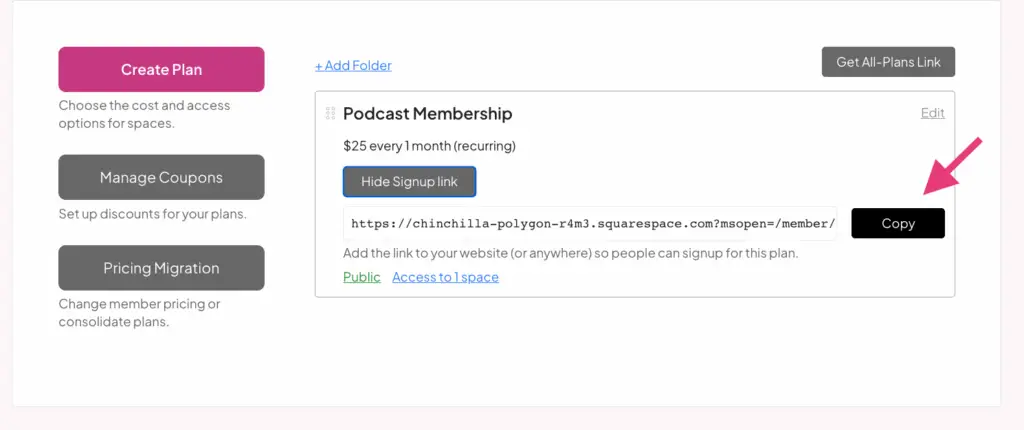
Now, grab the link to your pricing plan and use it to promote your private podcast! When someone clicks the link, it’ll take them directly to the signup/checkout form. Once they subscribe they’ll get access to your podcast archives and all your new episodes as you add them.
Step 4: Promote your podcast!
Now on to the fun part – producing great episodes and getting the word out about your podcast! Here are some easy-to-implement marketing ideas:
- Share snippets of podcast episodes on your social media channels. Let people get a small taste of what they will experience as paying members!
- If your podcast is a part of a membership, feature it prominently on your membership sales pages.
- Send emails to your current email list introducing the new, private podcast – they are already fans of your work!
- Offer the first episode or two for free before gating the rest, then promote those on all your channels
- Run simple boosted social media posts targeted to your existing audience and followers – an easy way to spend a little promoting to warm leads.
Why MemberSpace Is the Best Podcast Membership Solution for Squarespace
MemberSpace gives you everything you need to take your podcast to the next level on Squarespace:
- Upload and host your podcast episodes directly — no third-party hosting required
- Organize your episodes with spaces and folders for easy browsing
- Protect and monetize your podcast with flexible membership plans
- Offer multiple pricing tiers, free trials, and discounts
- Notify members when new episodes go live
- Seamlessly integrates with your Squarespace website — no tech headaches
Tips for Growing Your Podcast Membership
To build a thriving podcast membership, keep these tips in mind:
- Stick to a consistent publishing schedule so your members know when to expect new episodes.
- Plan your content topics at least a month in advance to stay organized and stress-free.
- Use clear calls-to-action in your episodes — whether it’s encouraging listeners to sign up, join your community, or check out your premium content.
- Engage members regularly with bonus episodes, Q&A sessions, or live chats to build loyalty.
How to Embed a Spotify Podcast on a Squarespace Website
Want to share your podcast publicly for free? You can easily embed a Spotify podcast on your Squarespace website:
- Head to your podcast or episode on Spotify.
- Click the “…” menu and select Share > Copy Embed Code.
- In Squarespace’s editor, add a Code Block where you want the player to appear.
- Paste the embed code and publish your site.
Easy, right? Just remember: Spotify embeds are public — anyone can listen. If you want a private podcast on your Squarespace website or want to monetize your podcast on Squarespace, MemberSpace is the way to go.
Already Using a Podcasting tool?
If you are already hosting your podcast on a tool like Transistor or Castos, you can add it to your Squarespace website with:
- A MemberSpace account to manage your subscription, payments, and access to content
- A Zapier account (this is how you will sync MemberSpace and your podcasting tool in order to handle payments, subscriptions, and permissions for your podcast)
Step 1: Create a podcast subscription with MemberSpace
Step 2: Connect your podcast to MemberSpace using Zapier
Now, use your Zapier account to connect your podcasting tool and MemberSpace. This will allow the tools to communicate with each other and automatically stay up-to-date when someone subscribes or cancels from your podcast.
You should create two Zaps so that:
- When a new subscriber signs up for your podcast, they get access to your private episodes.
- When a subscriber cancels, they lose access.
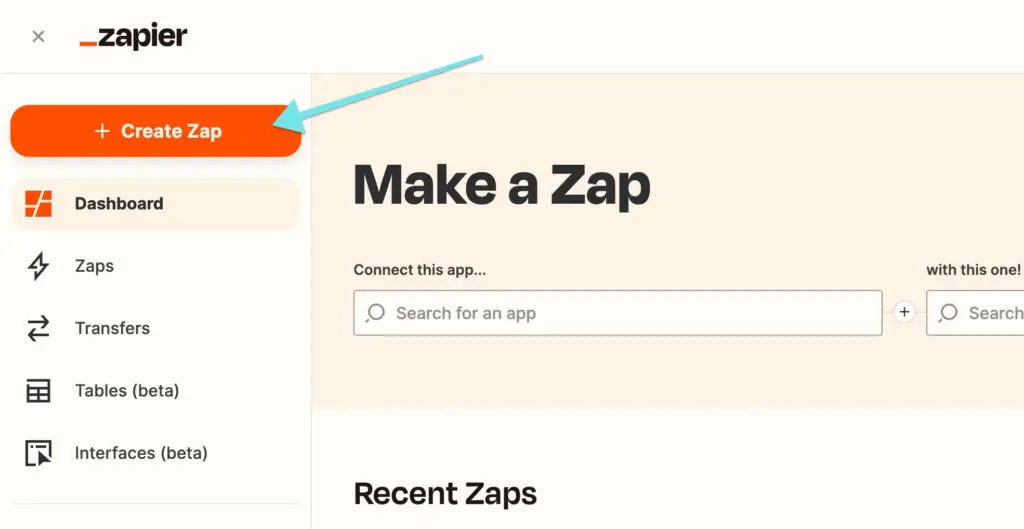
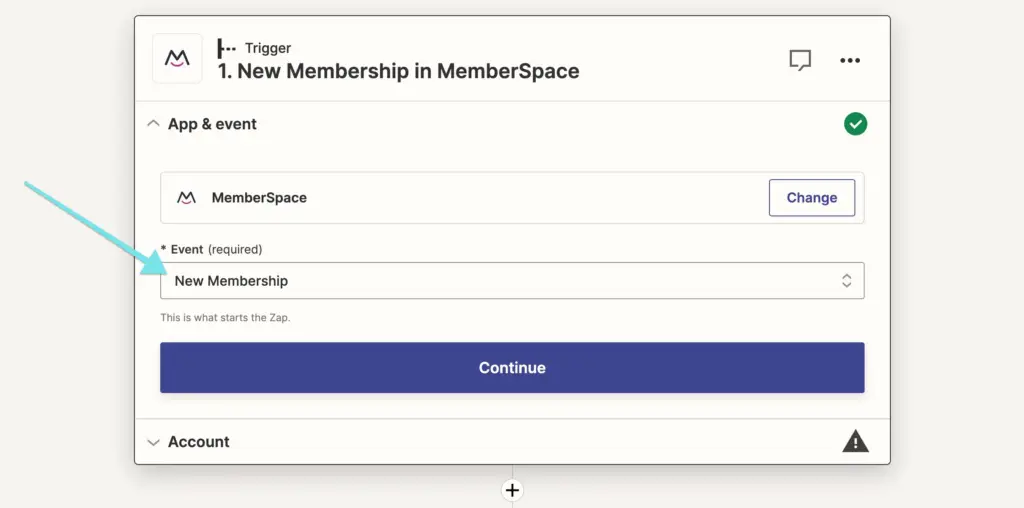
We recommend using Transistor or Castos for private podcasts and have step-by-step guides on how to integrate them with MemberSpace, but if you choose another tool, reach out to our support team, and we’ll help you get started!
Step 3: Add the subscription link to your Squarespace site
Frequently Asked Questions About Private Podcasts on Squarespace
Can I upload my podcast audio files directly to Squarespace?
Yes, Squarespace lets you upload audio files using audio blocks or podcast pages. However, it doesn’t offer advanced features to organize, gate, or monetize your episodes effectively.
How can I create a private podcast on my Squarespace website?
The easiest way is to use MemberSpace. It lets you upload your podcast episodes directly, organize them, and restrict access with membership plans — all integrated with Squarespace.
Can I sell access to my podcast on Squarespace?
Yes! With MemberSpace, you can create paid membership tiers or subscriptions that grant access to your podcast episodes, turning your content into a revenue stream.
Is MemberSpace easy to set up on Squarespace?
Absolutely. You just add a small code snippet to your Squarespace site header, and you can start protecting your content immediately — no coding needed.
Can I notify members when I upload new podcast episodes?
Yes, MemberSpace includes a “What’s New” feature that automatically alerts members when new content becomes available.
Can I offer free and paid podcast episodes on Squarespace?
Yes! MemberSpace supports multiple membership tiers, so you can mix free episodes with paid, exclusive content.
Final Thoughts
Launch a private podcast on Squarespace!
The easiest way to accept membership payments or one-time charges for digital downloads, newsletters, communities, podcasts and more.
No credit card required. 5 minutes to set up!