Team MemberSpace
It might seem like everyone is trying to sell Canva digital products these days, but the most successful people usually aren’t treating it like a side hobby. They’re using Canva as a real business tool to create products that support their memberships, coaching programs, services, and digital offers.
In fact, we asked surveyed some of our most successful customers their favorite tool for running their business – aside from MemberSpace, of course – and the answer was surprisingly consistent: Canva.
So, how are all of these profitable businesses getting the most out of the design tool? In this guide, I’ll walk you through exactly how to create and sell Canva digital products on your own website using MemberSpace, as well as some of the easiest and most profitable digital products you can create on Canva.
This guide covers:
Sell Canva digital products!
The easiest way to accept membership payments or one-time charges for digital products like online courses, communities, content libraries, and more — all from your own website!
Get started for free! 5 minutes to set up.
How to Create Digital Products with Canva
Canva makes it easy for anyone to create a professional-looking digital product, whether it’s an ebook or an online course.
Step 1: Start With a Customer Pain Point
If you’re still in the ideation phase of content creation, start by considering what your target audience needs help with. What questions and pain points do they have that you can help with? Your digital product should address one of those in detail, so your customer walks away feeling equipped to overcome their specific challenges.
The best digital products also have actionable sections, like worksheets, templated calendars, checklists, swipe files, or guided exercises that help people actually implement what they’re learning instead of just consuming information.
For example:
- a social media toolkit might include a 30-day content calendar and caption prompts
- a coaching workbook could include reflection exercises and action-plan templates
- a lead magnet kit might come with plug-and-play email templates and landing page copy
- a client onboarding resource could include welcome packet templates, questionnaires, and workflows
Those kinds of resources make the product feel much more useful and complete.
Step 2: Create Your Product in Canva
Canva has a template for everything, so you won’t have trouble finding one. But if you’re anything like me and you get overwhelmed when you have too many options, it can feel hard to know where to begin.
Here’s an easy workflow that works really well:
- Draft your content first
Before opening Canva, I recommend drafting all of your copy first. I’m a big fan of using AI for brainstorming/outlining content, but as for the actual creation of it, I’d recommend using it sparingly. People are paying for your expertise when they purchase your digital product, so you’ll need to make it unique and engaging (both things AI is not the best at). - Pick a Canva template or create a simple layout
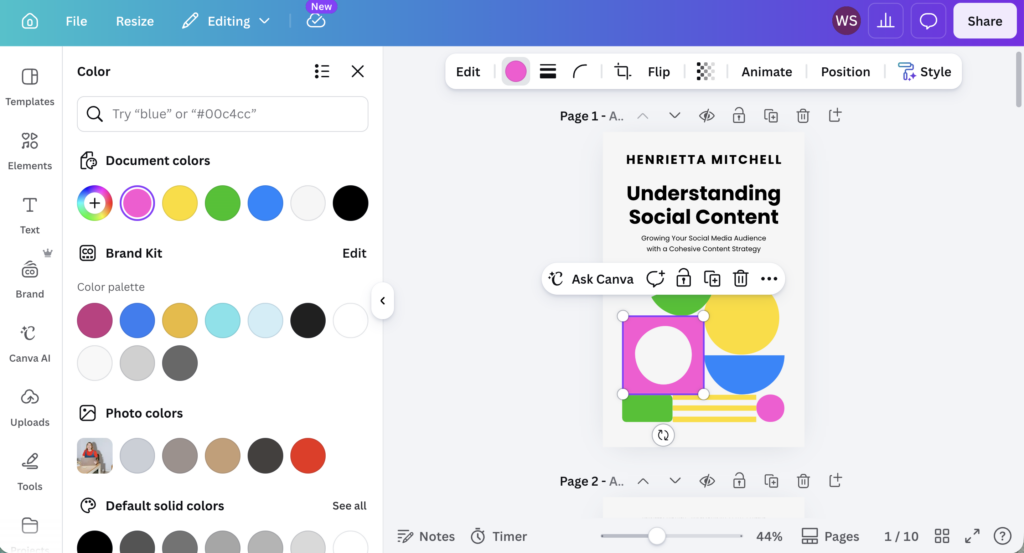
Next, pick a template or create a simple layout and customize it with your own branding, colors, fonts, images, and style so it feels cohesive with your business. - Add your content and actionable resources
Drop in your copy, worksheets, checklists, calendars, prompts, swipe files, or exercises that help people actually use the product. - Duplicate pages and reuse layouts
One of the easiest ways to speed things up in Canva is by duplicating pages and reusing the same design system throughout the product instead of redesigning every page from scratch. - Export or generate your template link
Once everything is finished, export the product as a PDF or generate a Canva template link if you want customers to customize the design themselves.
Canva Rules & Guidelines for Selling Digital Products
Before you start selling Canva digital products, it’s really important to understand Canva’s licensing and commercial use rules — especially if you’re selling templates, downloads, or membership resources.
The good news is that Canva does allow you to sell digital products created with Canva under certain conditions.
But there’s one big thing to understand:
Your product needs to be an original design
Canva doesn’t allow people to simply resell Canva content or templates with very minimal changes.
For example:
- changing a font color
- swapping one image
- adding a small border
- slightly editing an existing template
usually isn’t considered “original enough.”
Instead, Canva expects you to combine layouts, text, branding, graphics, images, resources, etc. into a more complete, unique product.
That’s why things like toolkits, workbooks, and educational guides tend to work really well. They add original value beyond the design itself.
What about selling Canva templates?
If you’re selling editable Canva templates that include Canva Pro elements, Canva requires you to share them as Canva template links, not exported PDFs or raw design files.
To generate a template link:
- Open your Canva design
- Click Share
- Click Template Link
- Share that link with your customers
This allows buyers to create their own editable copy without accessing your original file.
A few important things to avoid
In general, you should avoid:
- reselling Canva templates unchanged
- selling Canva elements or graphics by themselves
- creating “clipart packs” using Canva assets
- redistributing Canva content as stock assets
- exporting Pro template designs as editable PDFs for resale
When in doubt, check Canva’s guidelines
Canva’s rules can evolve over time, especially around templates and commercial use, so it’s always a good idea to review Canva’s official commercial use guidelines before launching products publicly.
You can review Canva’s official guidelines here:
Canva’s commercial use and product sale guidelines
How to Sell Canva Digital Products on Your Own Website
You’ve got a complete digital product – now it’s time to make some money from it. While many digital product sellers upload their Canva digital products to places like Etsy, Shopify, or Stan, we’re going to walk through a more flexible approach – selling on your own website using MemberSpace.
By selling on your website, you avoid fees and strict terms that 3rd party selling platforms typically have. You can sell however you want with complete flexibility and features to help you scale.
I created a video tutorial of exactly how to do this, or check out the step-by-step section below.
Step 1: Install MemberSpace on your Website
To get started, you’ll need to add MemberSpace to your website. It works with any website and takes just about 30 seconds to install.
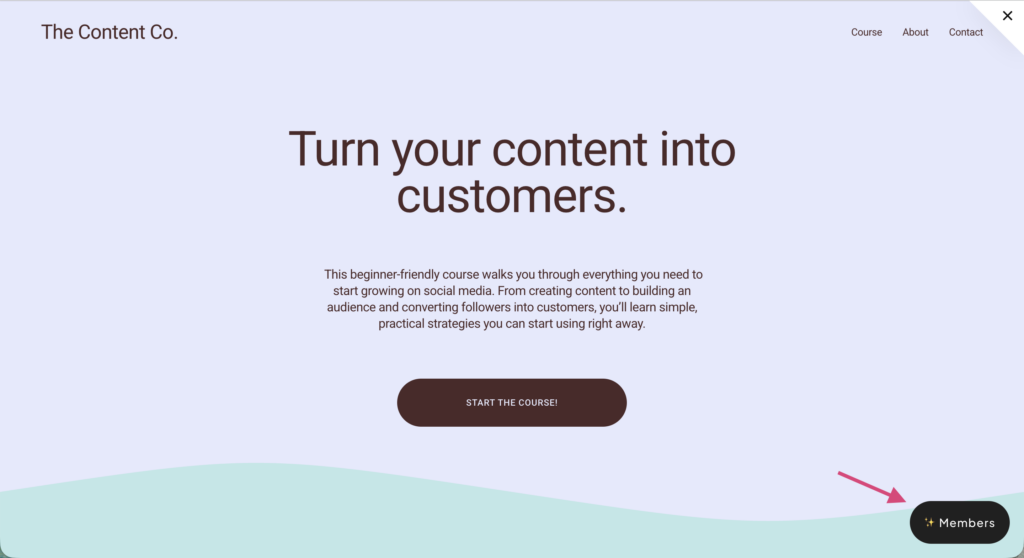
Once installed, a “Members” button appears on your site, allowing customers to log in and access the products they’ve purchased.
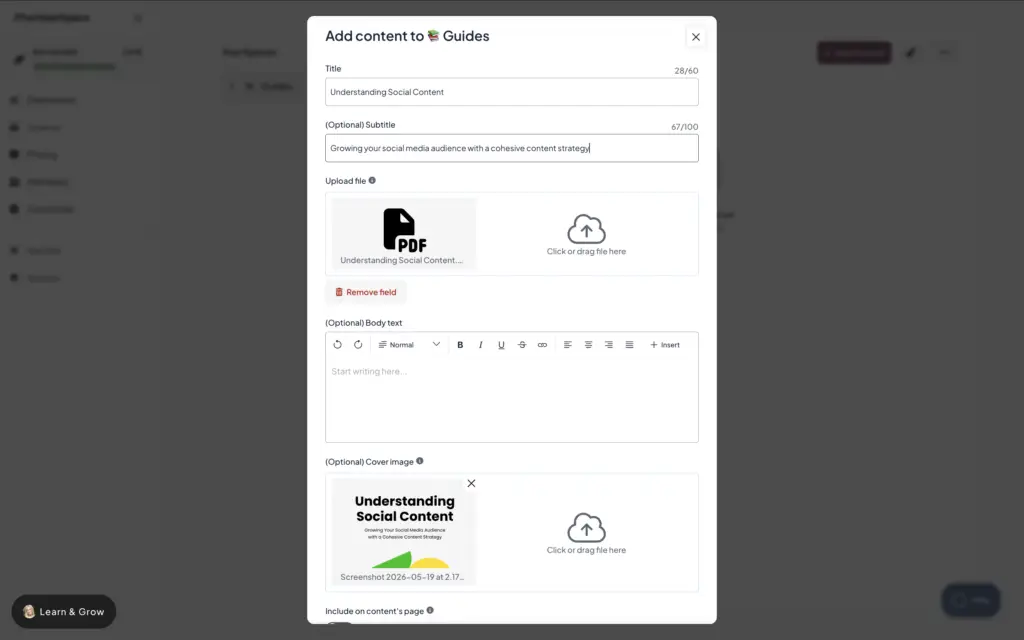
Step 2: Upload your digital product(s) to MemberSpace
In MemberSpace, digital products are organized into “Spaces,” which are just collections of digital products.
To upload your product:
- Create a new Space (for example, “Guides” or “Courses”)
- Upload the files exported from Canva (this can be a PDF, embedded video, template link, etc)
- Add a title and optional cover image
- Enable the download option so customers can save the file
You can add multiple digital products to the same space or create additional spaces as your product library grows! It’s totally flexible.
Step 3: Set a price for your product(s)
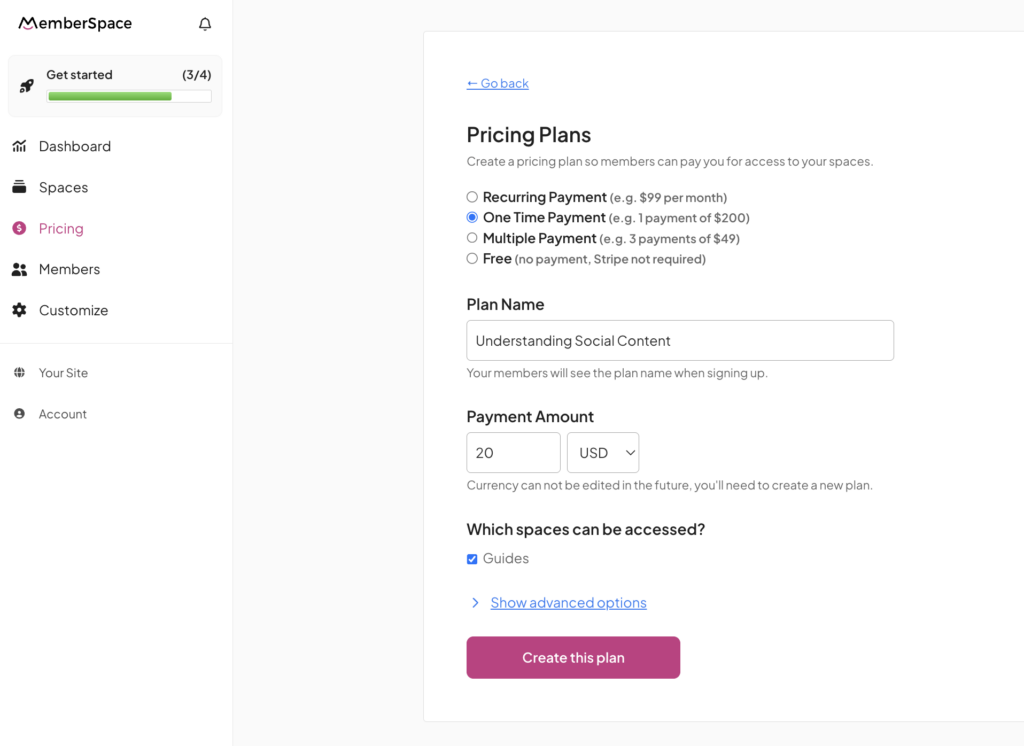
Next, set up how customers will pay for your digital product.
MemberSpace offers flexible pricing options, including one‑time payments and recurring memberships. For a single digital product, a one‑time payment is usually the simplest option.
To create a pricing plan:
- Choose a one‑time payment option
- Set your price
- Select which Space the purchase unlocks
- Save the plan
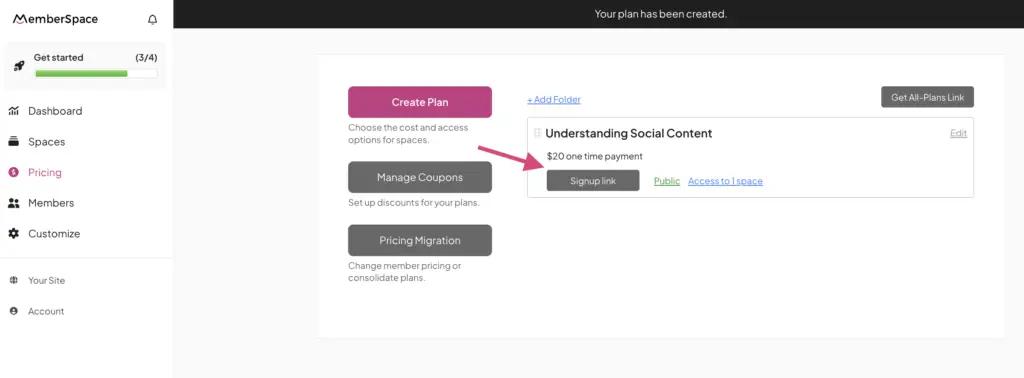
MemberSpace will automatically generate a signup link and checkout link for that pricing plan.
Step 4: Launch your product
To officially start selling your product, you’ll need to grab the signup link from the plan you just created and add it to CTA buttons on your website. When someone clicks that link, signup and checkout forms will appear on their screen. Once they pay, they will get immediate access to your digital product and can login to their account to view it anytime.
Canva Digital Product Ideas
If you’re feeling stuck on what to create, I’ve got some ideas below that are a good place to start for any kind of business.
Mini Courses
Mini courses are honestly one of my favorite digital products for beginners because creating a huge online course can take so much time and energy.
But with a mini course, you really just need to focus on one specific topic.
You could create:
- 5–10 short video lessons
- a workbook
- a checklist
- a guide
- supplemental resources
And Canva makes this super easy because you can create all of those supporting materials in one place.
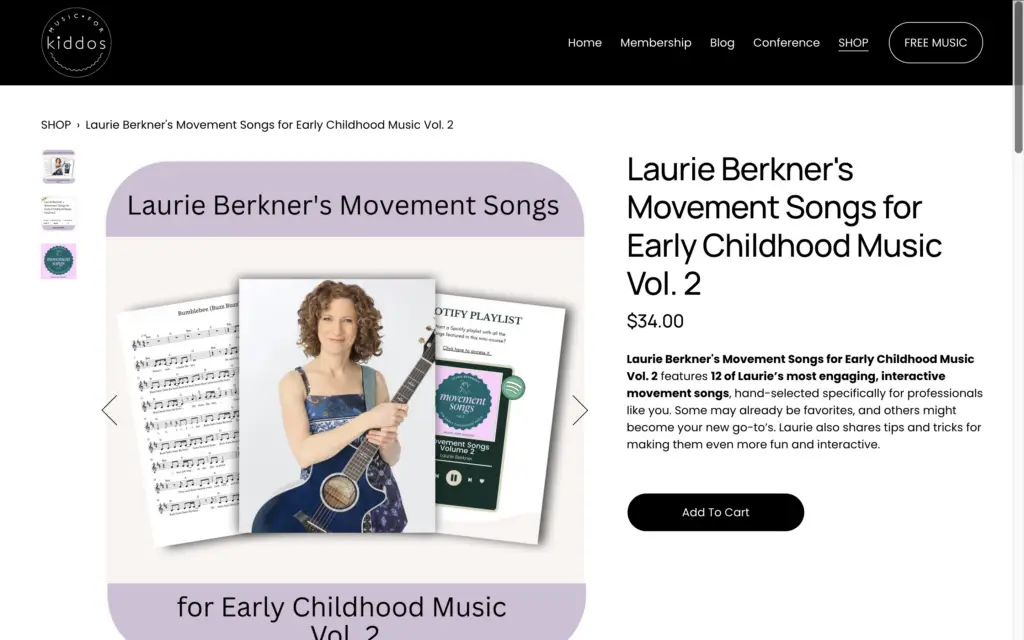
A really good example of this is Music for Kiddos, which is a membership business that provides resources for music educators and therapists. Stephanie sells standalone mini courses that include short trainings, printable workbooks, and supplemental materials people can purchase individually.
And I think this is such a smart model because not everyone wants to commit to a full membership right away. Sometimes people just want help with one specific thing.
So mini courses give you a really approachable way to start selling digital products without needing a giant content library.
Canva Templates
Templates are another really approachable digital product to create — especially if you’re already making something people keep asking you for anyway.
For example:
- maybe you’re really good at social media marketing
- maybe you’ve built onboarding systems for clients
- maybe you have educational resources people want to reuse
- maybe your audience keeps asking how you create your content
That’s usually a pretty good sign there’s product potential there.
And Canva makes template delivery incredibly easy because you can generate a template link directly from your design. Instead of exporting the file itself, you can click Share → Template Link, and your customers will get their own editable copy without changing your original design.
One business that does this really well is Selling Social, a membership for real estate agents. Their members get access to a huge library of customizable marketing templates that help simplify social media content creation.
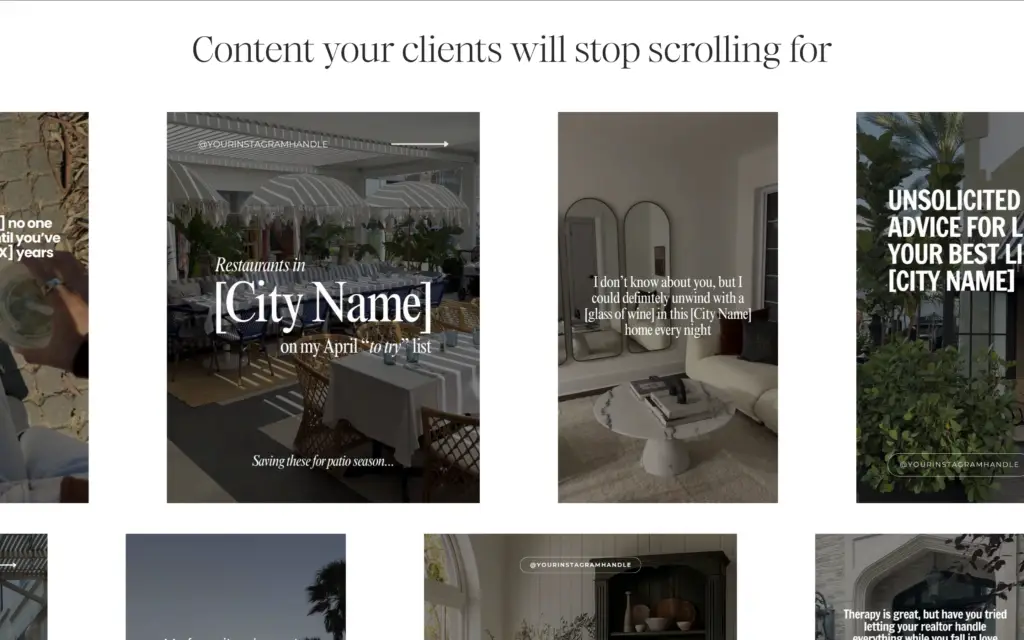
But what I really like about their setup is that the templates aren’t the only thing included.
They also bundle in:
- content calendars
- trainings
- office hours
- community access
And honestly, that’s usually where template businesses become much more valuable — when the templates support a bigger transformation or membership experience.
(We also have a full guide on how to sell Canva templates here.)
Toolkits & Resource Bundles
Toolkits are probably one of the smartest beginner-friendly digital products because they feel really premium without needing a massive amount of content.
Instead of selling one standalone file, you’re packaging together multiple resources around one specific problem or goal.
For example:
- onboarding kits
- launch kits
- therapy resources
- lead generation systems
- client resource packs
- content creation toolkits
And Canva is honestly perfect for this because you can create everything in one place:
- worksheets
- guides
- printable activities
- assessments
- templates
- swipe files
A really good example of this is SLP Stephen’s Fluency School, which sells therapy toolkits and educational resources for speech-language pathologists and people who stutter.
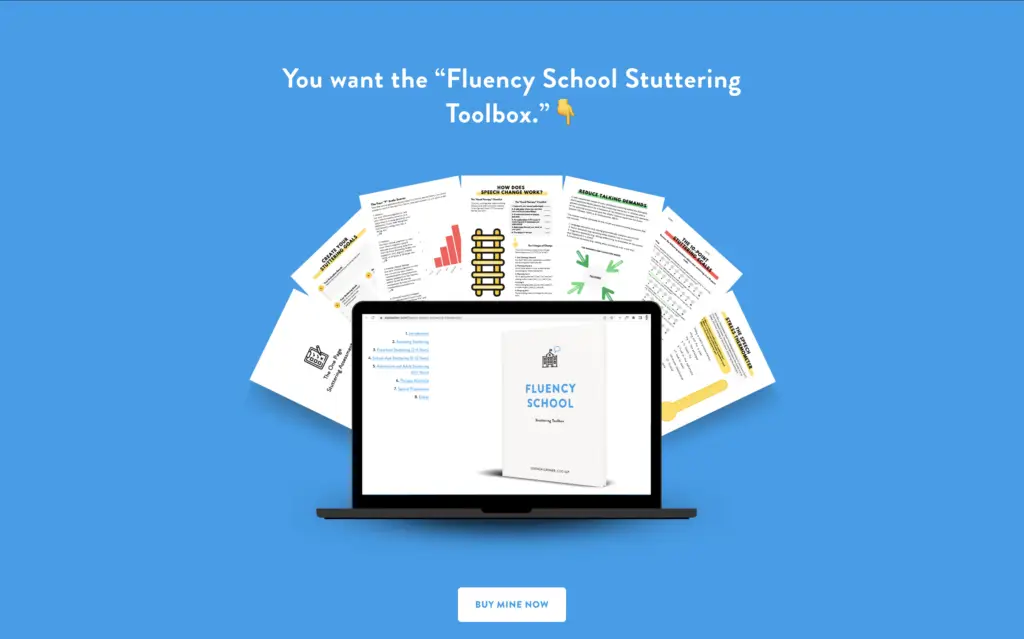
His toolkits combine assessments, printable activities, therapy resources, videos, and supplemental materials into one polished product.
And I think this is important because a lot of people assume digital products need to be huge to be valuable.
But honestly, some of the best products are just really focused. They solve one specific problem really well and package everything people need into one place.
Common Mistakes People Make Selling Canva Digital Products
FAQ
Can you really make money selling Canva digital products?
Yes — especially when the products solve a specific business problem or save people time. Many successful online businesses use Canva to create memberships, resource libraries, template bundles, workbooks, and client resources that generate recurring revenue.
What Canva digital products sell best?
The best-selling Canva digital products are usually practical business resources like template bundles, lead magnet kits, planners, onboarding resources, coaching materials, and membership content libraries.
How do I sell Canva digital products?
Most people either sell through marketplaces like Etsy or directly through their own website. Selling on your own website gives you more control over branding, pricing, memberships, bundles, and customer relationships.
Can you legally sell Canva digital products?
Yes — but your products need to include original value. Canva generally allows commercial use of designs you create, but you should avoid reselling unmodified templates or redistributing Canva assets by themselves.
Do I need Canva Pro to sell digital products?
Not necessarily, but Canva Pro gives you access to more templates, assets, fonts, brand tools, and template-sharing features that make creating products easier.
Can you sell Canva templates on Etsy?
Yes, many people do. Typically they deliver Canva template links through Etsy after purchase. However, many business owners eventually move to selling on their own website for more flexibility and better profit margins.
What’s the best way to price Canva digital products?
Most sellers charge more for bundles, systems, and memberships than standalone templates. Pricing usually depends on the outcome your product helps customers achieve, not just the number of pages included.
Final Thoughts
And that’s it! With Canva, you can quickly create digital products, and with MemberSpace, you can sell them on your own terms. Whether it’s ebooks, planners, templates, or online course materials, this setup gives you full control over your sales and lets you build a business that works for you.
If you’re ready to start selling, check out MemberSpace to turn your website into a profitable digital product store.
Sell Canva digital products!
The easiest way to accept membership payments or one-time charges for digital products like online courses, communities, content libraries, and more — all from your own website!
Get started for free! 5 minutes to set up.