

Haiden Hibbert
If you’re building a website or app with Next.js and want to charge recurring subscription payments, you don’t just need Stripe.
You need:
- A signup flow
- A checkout experience
- Account creation
- Login and logout handling
- Subscription tracking
- Gated access control
- A customer billing portal
- An admin dashboard to manage members
That’s a full subscription system — not just a payment button.
MemberSpace adds all of that to your Next.js app or website with a single snippet of code. During setup, you connect your Stripe account and create your subscription plans — and MemberSpace handles the rest: checkout, accounts, billing management, and access control.
For most Next.js builders, that means you can go from “no subscriptions” to fully subscription-ready in minutes.
Add subscription payments to Next.js!
The easiest way to accept membership payments or one-time charges for digital products like podcasts, online courses, communities, content libraries, and more — all from your own website!
Get started for free! 5 minutes to set up.
How MemberSpace Works with Next.js
Here’s the simple architecture:
- Next.js → Your frontend and application logic
- Stripe → Payment processing (connected during plan setup)
- MemberSpace → The membership layer (subscriptions, authentication, gated content, and member management)
You keep full ownership of your Stripe account. MemberSpace manages the subscription logic and access control on top of it.
The only install required on your Next.js project is adding one snippet.
Step-by-Step: Add Subscriptions to a Next.js App or Website
Here’s what the setup actually looks like.
Step 1: Add the MemberSpace Snippet to Your Next.js Site
Install the MemberSpace snippet in your root layout (layout.js, _app.js, or inside your <head> so it loads site-wide).
Once it’s added, your Next.js site becomes membership-enabled. No backend overhaul, no custom authentication system, and no webhook setup required.
Step 2: Create Your Subscription Plans
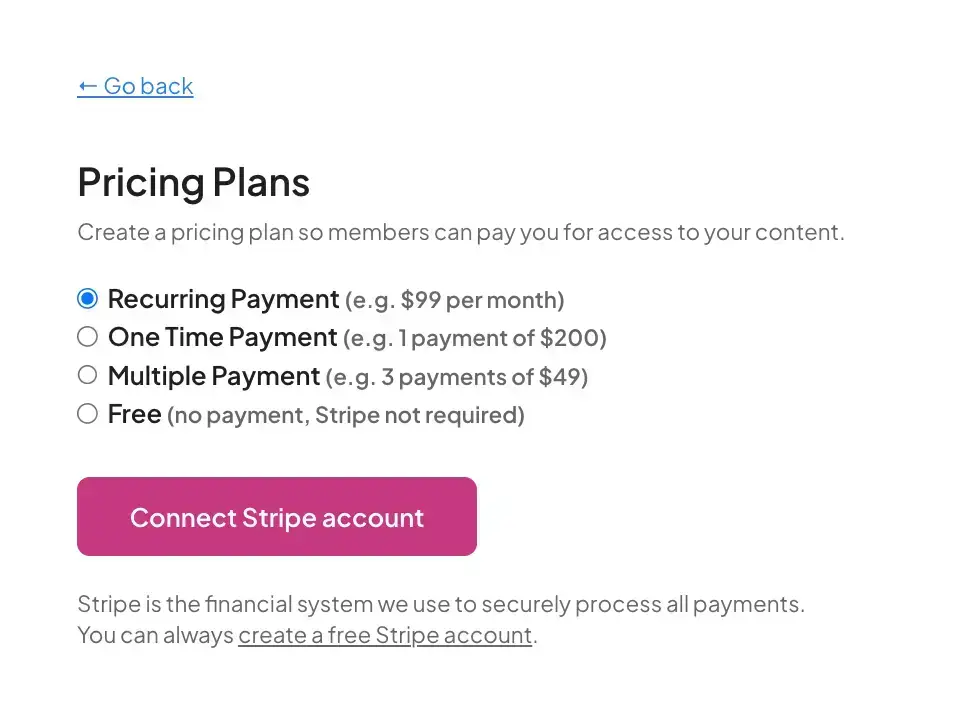
Inside MemberSpace, you’ll create your subscription plans (monthly, annual, multiple tiers, trials, coupons, etc.). This is also where you connect your Stripe account during onboarding so payments can be processed through Stripe automatically.
Add subscription payments to Next.js!
The easiest way to accept membership payments or one-time charges for digital products like podcasts, online courses, communities, content libraries, and more — all from your own website!
Get started for free! 5 minutes to set up.
Step 3: Gate Members-Only Content
Next, decide what should require an active subscription.
You can gate:
- Specific URLs
- Entire sections of your website
- Premium dashboards
- Paid documentation
- Courses or content libraries
- App features inside your Next.js project
MemberSpace checks subscription status and restricts access so only eligible members can view protected pages/content.
Step 4: Add Signup Links to Your Site
MemberSpace gives you a unique signup URL for each plan, plus an all-plans link if you want users to choose from multiple options.
You can use these links anywhere on your site (pricing pages, navigation, buttons, CTAs). When someone clicks a signup link:
- They create an account
- They complete checkout
- Their subscription becomes active
- They get access to your gated content
This is the easiest way to add a signup/create account + checkout flow to your Next.js app or website without building your own forms.
Built-In Tools You Get Automatically
Members get a built-in customer portal
Subscribers can manage their membership without contacting you. They can typically:
- Update payment methods
- View invoices
- Upgrade or downgrade plans
- Cancel their subscription
You manage everything from the MemberSpace dashboard
As the site owner, you get a centralized place to:
- View active members
- Check subscription status
- Track payments
- Issue refunds
- Comp plans
- Monitor churn
- Manage pricing tiers
This keeps subscription logistics out of your Next.js codebase and in a dedicated membership admin.
Why Next.js Builders Use MemberSpace
MemberSpace is built for modern Next.js websites and apps that need subscriptions, gated content, and member management — without building a billing system from scratch.
It’s especially useful for:
- SaaS dashboards
- Paid developer tools
- Premium documentation
- Online courses
- Member-only communities
- Gated resources and content libraries
FAQ: Next.js Subscription Payments
Can I use Stripe directly with Next.js instead of MemberSpace?
Yes, but Stripe mainly solves payments. You’d still need to build (and maintain) things like account creation, subscription tracking, gated access, and billing management. MemberSpace integrates directly with Stripe and provides those membership logistics out of the box.
Does MemberSpace work with the Next.js App Router?
Yes. Since MemberSpace installs via a site-wide snippet, it works with modern Next.js setups, including the App Router. You’ll typically add the install code in your root layout so it loads across your project.
Can I gate specific pages or parts of my site?
Yes. You can protect specific URLs or sections so only active subscribers can access them. MemberSpace handles access checks based on subscription status.
How do people sign up and pay?
You’ll add MemberSpace signup links to your site. Each plan has its own link (and you can also use an all-plans link). When someone clicks, they create an account and complete checkout for the subscription.
Can members manage their own billing?
Yes. Members get a customer portal where they can manage payment details, view invoices, change plans, or cancel.
Final Thoughts
Next.js gives you the flexibility to build fast, modern websites and apps. But subscriptions require much more than charging a card — you need a membership system around it.
With MemberSpace, you can add subscriptions to your Next.js project with a simple flow:
- Add the snippet.
- Create your plans.
- Gate your content.
- Add signup links.
From there, MemberSpace handles the ongoing membership logistics — so you can stay focused on building your product.