

Step 1: Install MemberSpace on Your Squarespace Site
First, install MemberSpace on your Squarespace site.
It connects using a simple code snippet — no complex setup required. Once it’s installed, you’ll have access to a dashboard where you can:
-
- Sell access to exclusive content and pages of your website
- Create flexible pricing plans
- Offer free trials
- Automatically manage payments through Stripe
You don’t need to rebuild your site. MemberSpace works with the pages you already have.
Step 2: Upload Your Exclusive Content
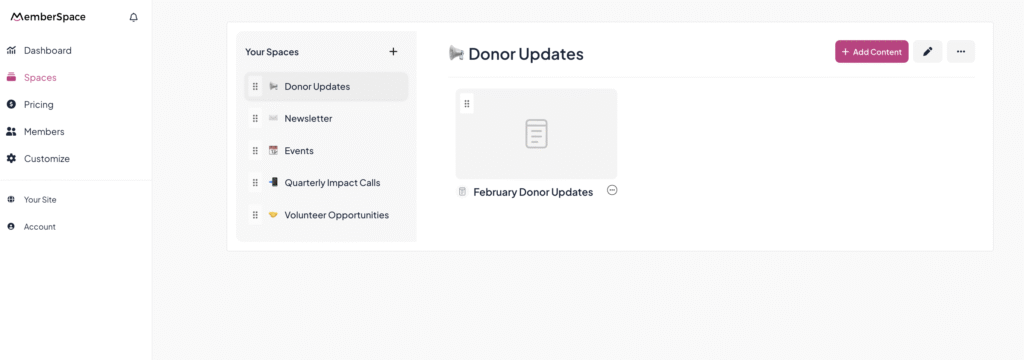
Next, decide what content will be members-only.
This could be:
-
- Courses
- Video libraries
- Premium blog posts
- Resource hubs
- Community pages
With MemberSpace, you simply create Spaces (collections of exclusive content [videos, files, links, pages of your website]). Once protected, only members (including people on a free trial) can access them.
Step 3: Set Up Your Payment Plans — and Turn On Your Free Trial
When creating a Pricing Plan in MemberSpace, you’ll see the option to add a free trial.
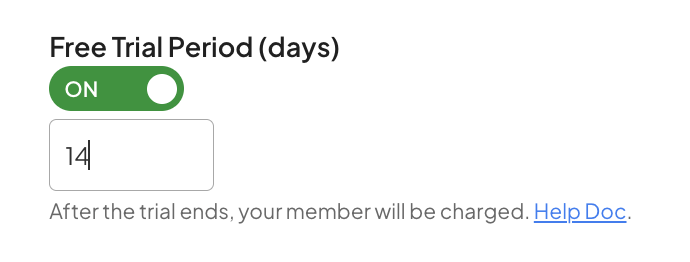
And yes — it’s actually straightforward.
We know how valuable it can be to let potential members experience your offering before committing, so setting up a free trial is quick and easy.
When creating your plan, you simply choose how long the trial should last. You decide how much time members get to explore before being charged.
Here’s how it works:
-
- A member signs up and starts their free trial immediately
- They enter their payment details upfront
- When the trial ends, they’re automatically charged
No spreadsheets. No manual reminders. No awkward follow-up emails.
Even better, when you enable trials in MemberSpace, automatic account-based emails are sent to members letting them know:
-
- When their trial starts
- When it’s about to end
- When their paid subscription begins
It’s clean, automated, and feels professional to your members!
Step 4: Add Your Signup Link to Your CTA Buttons

Once your plans are ready, MemberSpace gives you a signup link.
You can use:
-
- A specific plan link (great if you’re promoting one main offer)
- An all-plans link (so people can choose their option)
- Then simply add that link to your buttons across your site.
For example:
-
- “Start Your Free Trial”
- “Try It Free for 14 Days”
- “Get Instant Access”
Now when someone clicks, they’re taken straight into your signup flow — with the free trial automatically applied.
Simple for them. Simple for you.
FAQ
Can I offer different trial lengths for different plans?
Yes. Each plan can have its own trial length.
Do members have to enter a credit card?
Yes. This allows the subscription to automatically begin once the trial ends. It also significantly reduces trial abuse.
What happens if someone cancels during the trial?
If they cancel before the trial ends, they won’t be charged.
Can I extend someone’s trial?
Yes. You can extend a member’s trial directly from your Stripe account if you’d like to give them more time.
Will members get notified about their trial ending?
Yes. MemberSpace automatically sends account-based emails so there are no surprises.
How can I build a full membership site on Squarespace?
Check out our video tutorial below!
