

How to Offer More Flexible Payment Plans on Squarespace
If you want more control over your payment plans, you’ll need a way to go beyond Squarespace’s built-in billing structure.
That’s where MemberSpace comes in.
Instead of being limited to standard subscription options, MemberSpace lets you fully customize how your payment plans work—so you can structure payments in a way that actually fits your offer.
With MemberSpace, you can:
- Set your own payment amounts
- Choose billing intervals (days, weeks, months, or years)
- Control the number of payments
- Mix different payment types (like upfront + recurring)
This gives you the flexibility to create payment plans that match how you want to sell—not the other way around.
Let Customers Choose How They Pay
One of the biggest advantages of a more flexible setup is the ability to offer multiple payment options for the same product or membership.
Instead of forcing a single pricing structure, you can give customers options—and that can make a big difference in whether they decide to buy.
Example:
Online course:
- $900 upfront
- OR 3 payments of $325
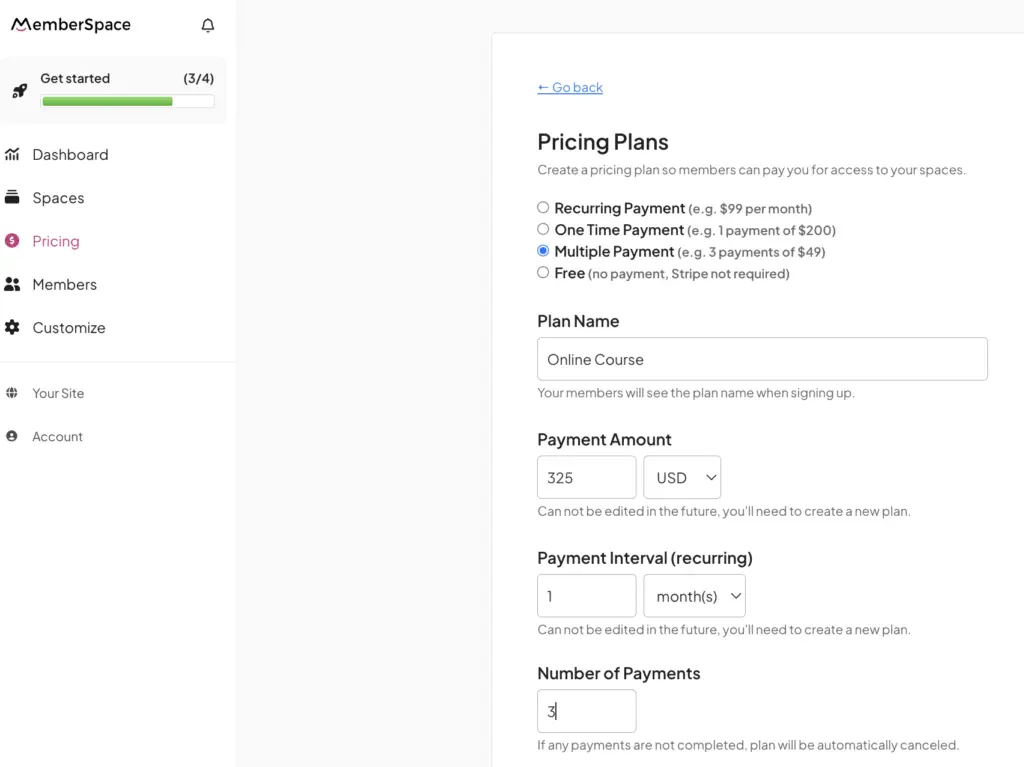
Membership:
- $25/month
- OR $250/year
It’s the same offer—just different ways to pay.
And for many customers, that flexibility is what makes the purchase feel doable.
Types of Payment Plans You Can Offer
Once you have full control over your payment structure, you can create payment plans that fit a wide range of offers.
Installment Plans
Split a larger price into a fixed number of payments.
Example:
-
$600 → 3 payments of $200
Custom Interval Plans
Charge customers on a schedule that fits your offer.
Example:
-
$100 every 2 weeks
Deposit + Payment Plans
Collect an upfront payment, then spread out the rest.
Example:
-
$300 deposit + monthly payments
Subscription Options
Offer recurring payments with different billing frequencies.
Example:
-
Monthly vs annual pricing
Real Examples of Flexible Pricing in Action
Here’s how different types of businesses use flexible payment plans:
- Course creators
Offer a pay-in-full option alongside a payment plan - Coaches and consultants
Use a deposit to secure a spot, followed by monthly payments - Membership sites
Offer both monthly and annual plans (with a discount for annual)
If you’re building a membership, having flexible pricing options becomes even more important as you grow (you can learn more in this guide to Squarespace member sites).
Best Practices for Offering Payment Plans
When adding payment plans to your Squarespace site, keep things simple and intentional.
A few guidelines:
- Offer 2–3 payment options max
- Always include a pay-in-full option
- Include a lower monthly or installment option
- Be clear about the total cost
- Highlight your most popular plan
The goal is to make the decision easier—not more complicated.
Final Thoughts
Offering payment plans on Squarespace is a powerful way to make your products more accessible and increase conversions.
While Squarespace’s built-in payment options are a solid starting point, they’re best suited for simple pricing models.
If you want more flexibility—like offering multiple payment options for the same product or customizing how payments are structured—you’ll need a more flexible setup.
The more control you have over your payment plans, the easier it is to match your pricing to your offer—and the more likely your customers are to say yes.
If you’re looking to take that next step, tools like MemberSpace make it easy to add flexible payment plans to your Squarespace site without changing your existing setup.
