Home » Squarespace Memberships » Community Forums
Add community forums to your Squarespace membership website
Add private groups, forums, and community spaces to your Squarespace site where members can post, reply, and connect with each other.
How to add private community spaces
Watch a short video on how to set up member discussions.
Create a new Space
From your MemberSpace Dashboard, create a Space.
Enable community
Allow your users to post and comment.
Save your changes
Save your settings to let members start discussions.
No credit card required — Migrate your members for free
Why add MemberSpace to your Squarespace website?
More features, more flexibility, and more growth to scale your membership business.
Migrating to MemberSpace is easy and free!
Easily upgrade your membership business from Squarespace’s default tools to MemberSpace’s advanced membership features.
More features and more flexibility to grow.
Go beyond Squarespace’s built-in membership tools with features designed to increase revenue and improve member retention.
MemberSpace vs Squarespace — What's the difference?
Squarespace offers basic membership tools, while MemberSpace gives you more flexibility, advanced features, and greater control over your business.
Let members talk with one another
Give your community a space to comment, reply, and connect, turning passive subscribers into an active, engaged group.
Emoji reactions to keep things lively
Members can react to posts and replies with emoji, making conversations feel fun, friendly, and a lot more human.
Private spaces just for your members
Discussions stay behind your paywall, so only logged-in members can read and join the conversation in your community.
Boost retention with real community
Members who feel connected stick around longer, and active discussions give people a real reason to keep coming back.
A space for every membership tier
Set up separate discussion areas for different plans, so each tier of members gets the community experience they paid for.
More community than Squarespace offers
Squarespace’s native member areas have no discussion tools, while MemberSpace adds full community spaces to your site.
350 million earned using MemberSpace!
100s of reviews from people using MemberSpace.
Customer stories
350 million earned buy people like you using MemberSpace.
Jeremy went from having no developers on his founding team to launching a custom dashboard for members.
Stephen turned a personal challenge with stuttering into an opportunity to help others speak more easily.
Just two years after Kate started a membership to help with her heavy client load, her husband was able to quit his full-time job.
Frequently Asked Questions
Frequently asked questions about adding community discussions to your Squarespace website using MemberSpace.
Does Squarespace offer community discussions for members?
No. You need to use MemberSpace. Squarespace’s native member areas don’t include discussion or commenting features, so members can’t easily interact with one another.
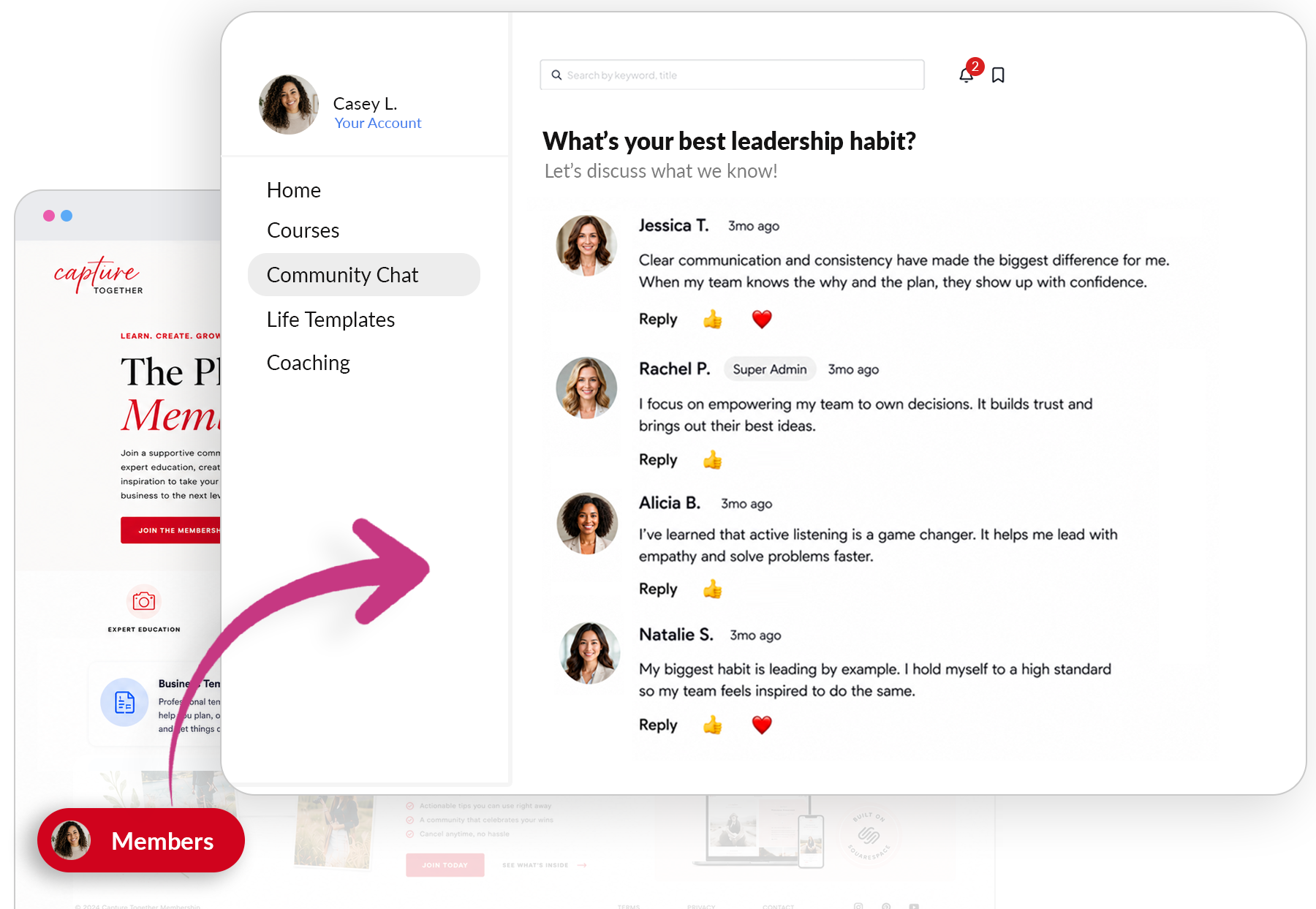
How do community discussions work in MemberSpace?
MemberSpace lets members comment, reply, and react with emojis inside private member-only spaces. Learn more about MemberSpace Community here.
Can I create community spaces for different tiers?
Yes! You can set up private discussion spaces for any number of membership tiers. Learn more about Squarespace membership tiers here.
Can members react to each other’s posts?
Yes. Members can leave emoji reactions and replies, making your community feel lively and engaging.
Are the discussion spaces private to members?
They are. Only logged-in members with the right plan can see and join the conversations.
Can I manage community discussions from the MemberSpace dashboard?
Absolutely. MemberSpace gives you a simple interface to set up and moderate member spaces whenever you like.
How does this fit with Squarespace member sites?
Since Squarespace’s native member sites don’t include community features, you simply need to migrate to MemberSpace.