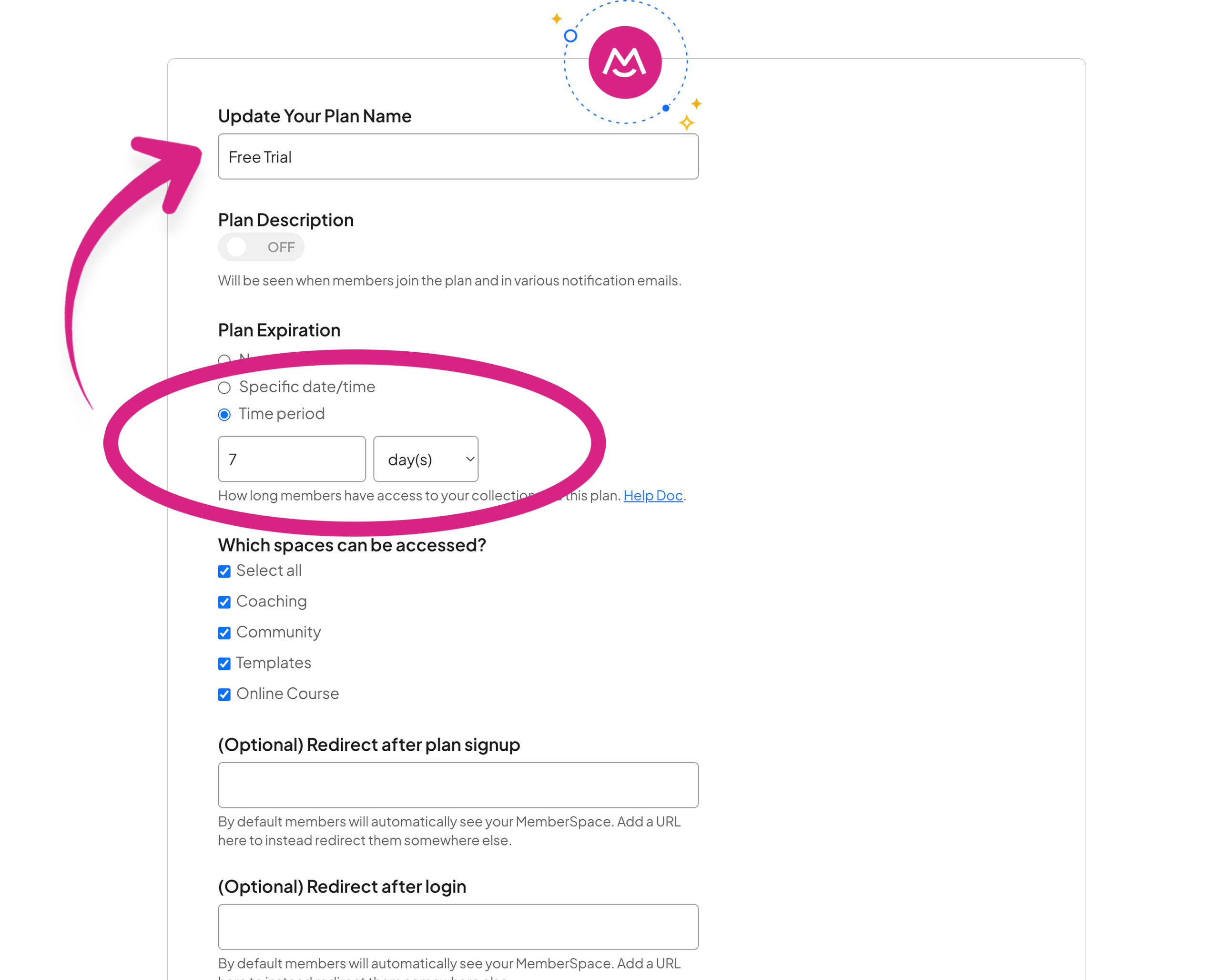
Home » Squarespace Memberships » Trial Periods Add trial periods to your Squarespace membership website Offer free or paid trial periods on your Squarespace site so new members can explore your content before subscribing. Advanced membership features Community Forums Sell Content Across Tiers Accept Google & Apple Pay Google Sign-In Trial Periods Member Pricing Changes Manually Approve Members Flexible Courses Content Library Community Forums Sell Content Across Tiers Accept Google & Apple Pay Google Sign-In Trial Periods Member Pricing Changes Manually Approve Members Flexible Courses Content Library Try for free Migrate for free → How to set up trial periods Watch a short video on how to set up membership trials. 1 Go to Pricing From your MemberSpace Dashboard click on the plan you want to edit. 2 Add a trial Set the free trial length you want for that plan. 3 Save your changes Save your settings to start offering free trials. Try for free No credit card required — Migrate your members for free Why upgrade to MemberSpace? More features, more flexibility, and more growth to scale your membership business. Migrating to MemberSpace is easy and free! Easily upgrade your membership business from Squarespace’s default tools to MemberSpace’s advanced membership features. Learn more More features and more flexibility to grow. Go beyond Squarespace’s built-in membership tools with features designed to increase revenue and improve member retention. Learn more MemberSpace vs Squarespace — What's the difference? Squarespace offers basic membership tools, while MemberSpace gives you more flexibility, advanced features, and greater control over your business. Learn more Add a free trial to any member plan Let new members try your membership before they pay, with a trial you can switch on for any plan in just a few clicks. Set different trial lengths per plan Give each membership tier its own trial length, whether that is a few days or several weeks, so every plan fits your strategy. Build trust before members pay a cent Free trials let people experience the value of your content first, which lowers hesitation and helps more visitors convert. No charge until the trial period ends Members are not billed until their trial is over, and they can cancel anytime beforehand without being charged a thing. Lower the barrier to joining your site A risk-free trial removes the biggest objection to joining, so more of your visitors feel comfortable signing up today. More trial options than Squarespace Squarespace’s native plans offer limited trial settings, while MemberSpace lets you tailor trial periods for every tier. 350 million earned using MemberSpace! 100s of reviews from people using MemberSpace. Trustpilot Reviews 4.8 out of 5 stars G2 Reviews 4.7 out of 5 stars Capterra Reviews 4.9 out of 5 stars Customer stories 350 million earned buy people like you using MemberSpace. Jeremy went from having no developers on his founding team to launching a custom dashboard for members. Meet Jeremy Stephen turned a personal challenge with stuttering into an opportunity to help others speak more easily. Meet Stephen Abagail turned a layoff into a 7-figure work-from-home business. Meet Abagail Just two years after Kate started a membership to help with her heavy client load, her husband was able to quit his full-time job. Meet Kate Frequently Asked Questions Frequently asked questions about setting up trial periods for Squarespace memberships using MemberSpace. Does Squarespace support free trials for memberships?Squarespace’s native member areas offer very limited trial options, so setting custom trial lengths for each plan isn’t really possible.How do trial periods work in MemberSpace?With MemberSpace, you can add a free trial to any member plan and set the exact trial length you want before billing begins.Can I set different trial lengths for different plans?Yes! Every membership tier can have its own trial length. What happens when a trial ends?When the trial period ends, members are billed automatically and keep their access without any interruption.Can members cancel during the trial?Yes. Members can cancel before the trial ends and won’t be charged, which helps build trust.Can I manage trials easily from the MemberSpace dashboard?Absolutely. MemberSpace gives you a simple interface to turn trials on, off, or adjust their length whenever you like.How does this fit with Squarespace member sites?Since Squarespace’s native member sites don’t offer flexible trials, MemberSpace fills that gap with custom trial periods. Learn more. Ready to try MemberSpace? No credit card required — Migrate your members over for free! Try for free