

Selling with MemberSpace vs. Squarespace Native Features
If you’ve been exploring Squarespace’s native “Member Sites” or “Digital Products,” you might be wondering if you really need an extra tool.
The reality is that many template sellers hit a wall with native features once they try to scale. For example, Squarespace’s built-in digital products send a download link that expires after 24 hours. This leads to constant support emails from customers who didn’t download their files in time.
MemberSpace is a popular alternative to Squarespace Member Sites because it’s built for flexibility. Instead of a one-time email link, you’re providing a secure, branded member area.
Key differences for template sellers:
- No Expiring Links: Customers log in to their account to access their templates anytime.
- Better Organization: Use “Spaces” to organize products into folders instead of just a long list of files.
- Flexible Billing: Offer free trials, signup fees, or “Template Club” subscriptions that native Squarespace tools don’t support.
- Automated Recovery: Use abandoned signup reminders to win back customers who left at checkout.
Step 1: Install MemberSpace (30 Seconds)
Setting up your shop doesn’t require any coding knowledge.
- Go to MemberSpace and create your account for free.
- Choose “Use my existing website” and select Squarespace as your platform.
- Copy the short code snippet provided and paste it into your Squarespace site’s header.
Once installed, MemberSpace works seamlessly on top of your Squarespace site, allowing you to control exactly who sees your template delivery pages.
Step 2: Add Your Templates to MemberSpace
This is where you build the actual “shop” experience. In MemberSpace, you use Spaces to organize your exclusive content. Just click “Add content” and either upload your template files or add links from Canva or wherever else you’ve built your template.
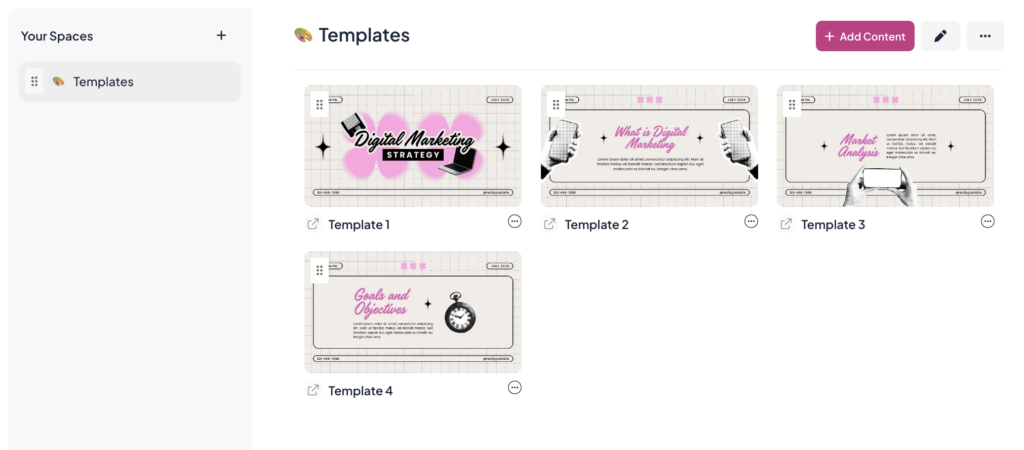
Spaces are collections of content that you can organize however you want. This is a game-changer for template sellers who want to provide a high-end experience:
-
- Create Collections: Group your templates into logical categories (e.g., “Social Media Templates,” “Client Guides,” or “Website Kits”).
-
- Use Folders and Nested Folders: If you’re selling a large bundle or a library, you can use folders and nested folders to keep things tidy. For example, you could have a folder for “Bonus Assets” or “Video Tutorials” nested inside a specific template Space.
-
- Deliver More Than Just Links: Within a Space, you can include the direct share links (Canva, Notion, etc.), PDFs, and even embedded videos that teach your customers how to use the templates.
By organizing your work into Spaces, you’re creating a professional “Member Dashboard” where customers can find everything they’ve purchased in one place.
Step 3: Set Up Your Pricing Plans
MemberSpace integrates with Stripe to handle your payments securely. You have total flexibility in how you charge for your templates:
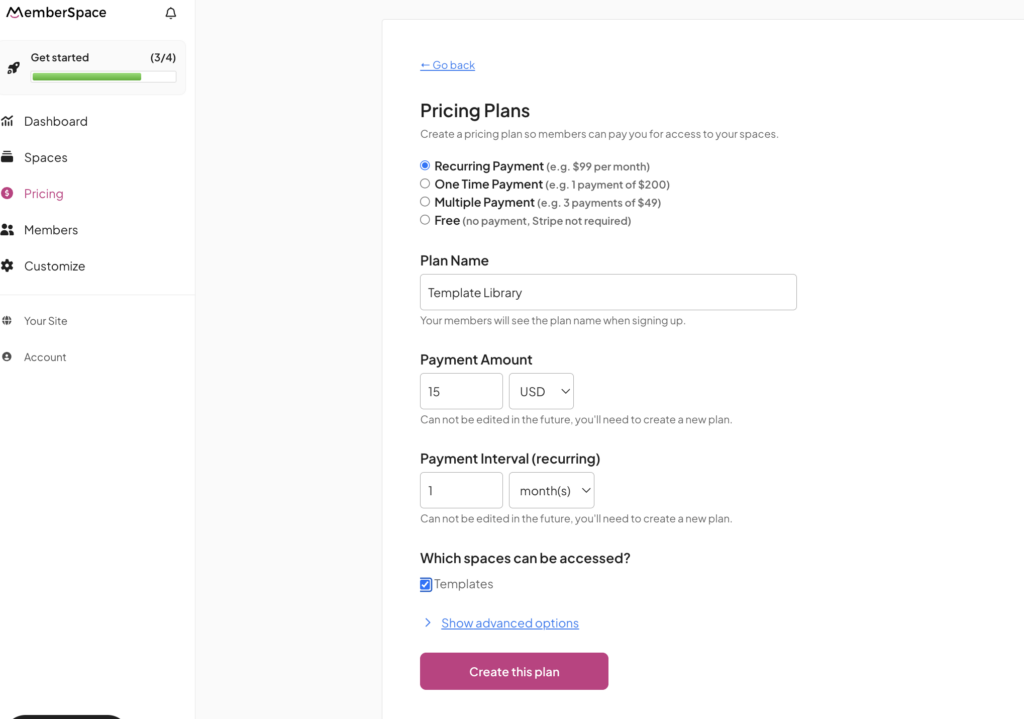
- One-Time Purchases: The standard “buy it once” model for individual templates.
- Recurring Subscriptions: Perfect for a “Template Club” where members pay monthly for access to your entire library.
- Payment Plans: Make high-ticket template bundles more accessible by breaking the cost into installments.
- Free Plans: Offer a “Sample Template” as a lead magnet to grow your email list.
You can also offer discount codes or free trials to help boost your sales during a launch.
Step 4: Promote and Scale Your Shop
Once your templates are organized and your pricing is set, MemberSpace provides you with unique product links. You can add these links to your Squarespace sales pages, buttons, or even your social media bios.
To grow your revenue, consider these popular template shop strategies:
- The “Library” Model: Instead of selling one-off templates, sell a monthly membership that grants access to your entire organized library of Spaces.
- Bundle Your Products: Create a “Master Bundle” Space that includes multiple template collections at a discounted price.
- Upsell Your Expertise: Use MemberSpace’s automatic plan upsells to offer a “Pro” version of a template that includes a video masterclass.
- Recover Lost Sales: Enable abandoned signup reminders to automatically follow up with people who didn’t finish their purchase.
